
Account (Ledger) Management
Customer, company, agency and supplier cards live in one directory, and each account gets its own sub-account in accounting. Statements, open items, ageing and set-off all come from the same books.
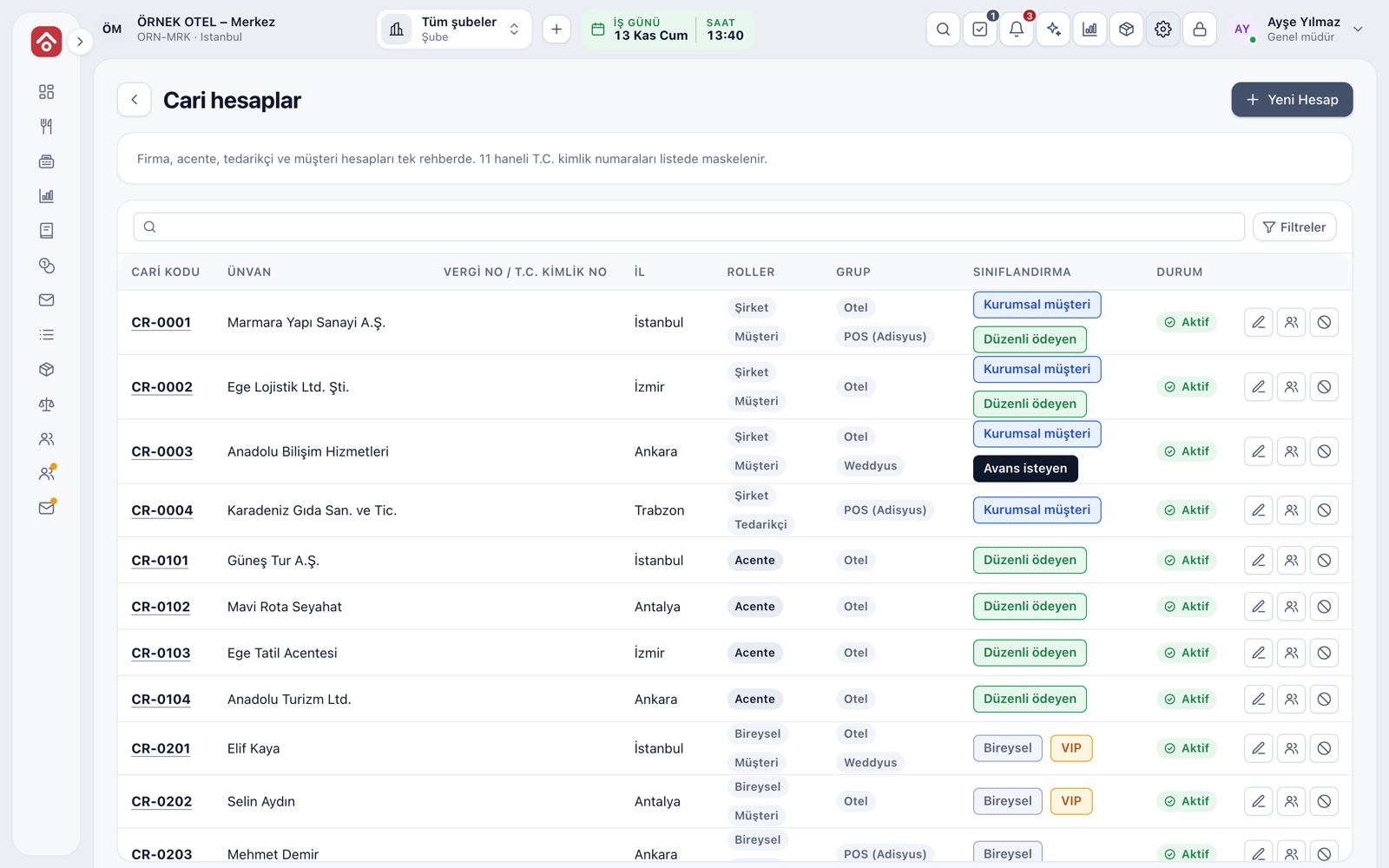
One Directory, Shared Records
Company, agency, supplier and customer accounts are kept in one directory. Each account gets one or more roles and at least one group; the group decides which screens the account can be picked in. An account in several groups appears as a single record on all the relevant screens of your business.
- The same tax or ID number cannot be on two accounts.
- ID numbers are masked in lists.
- Search by name, code, tax number, phone or email.
- Accounts are set inactive, not deleted; past activity is kept.
Account Card and Classifications
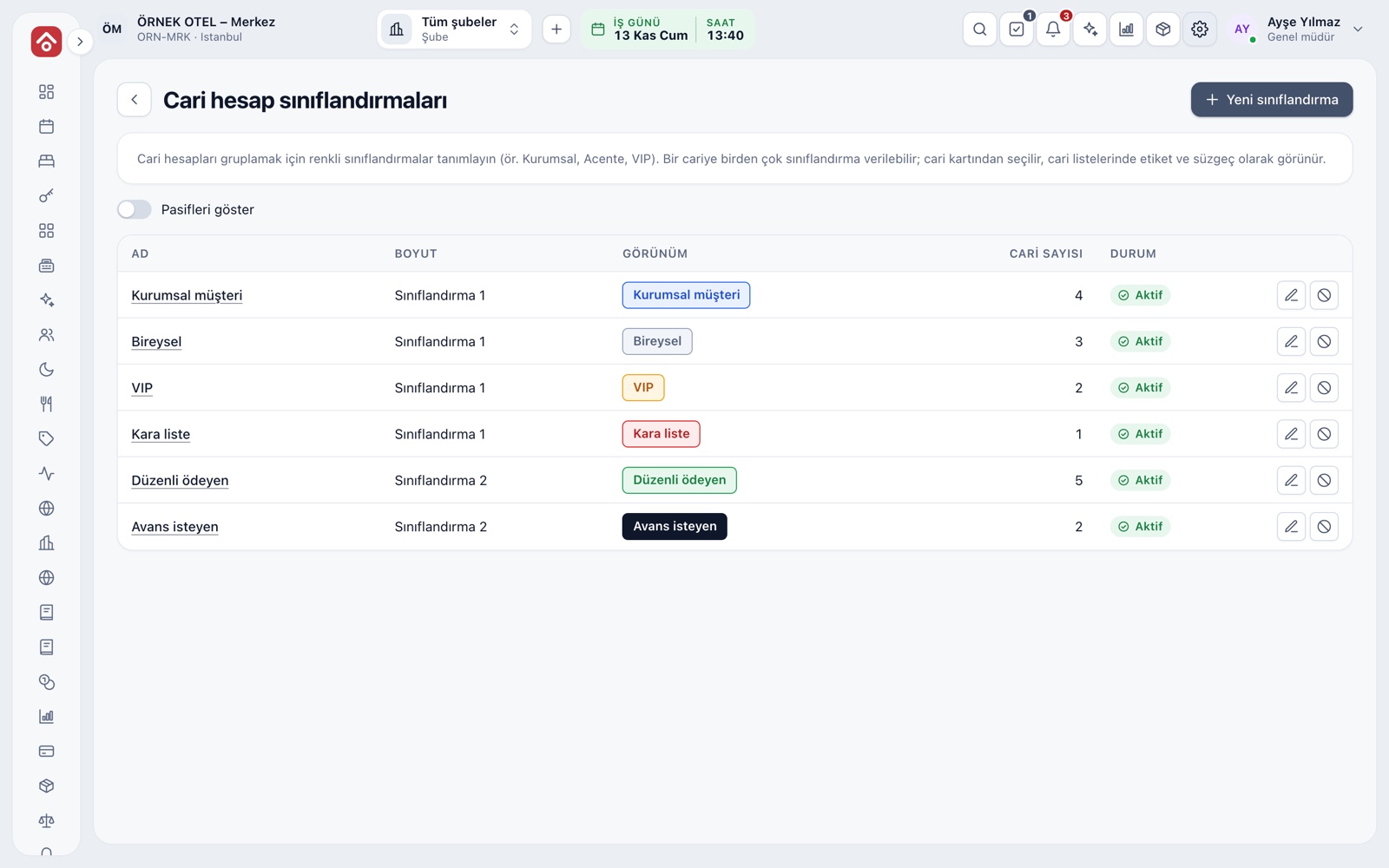
The card holds the name, invoice name, tax office, tax or ID number, address, currency and notes. A taxpayer lookup checks whether the buyer is an e-invoice taxpayer. Colour-coded classifications, such as Corporate, Individual, VIP or Pays on time, appear as labels and filters in account lists.
- The data protection tab stores the notice date and commercial message consent.
- One account can have several classifications.
- When you issue an invoice, the card details are suggested for the buyer.
Receivable and Payable Accounts
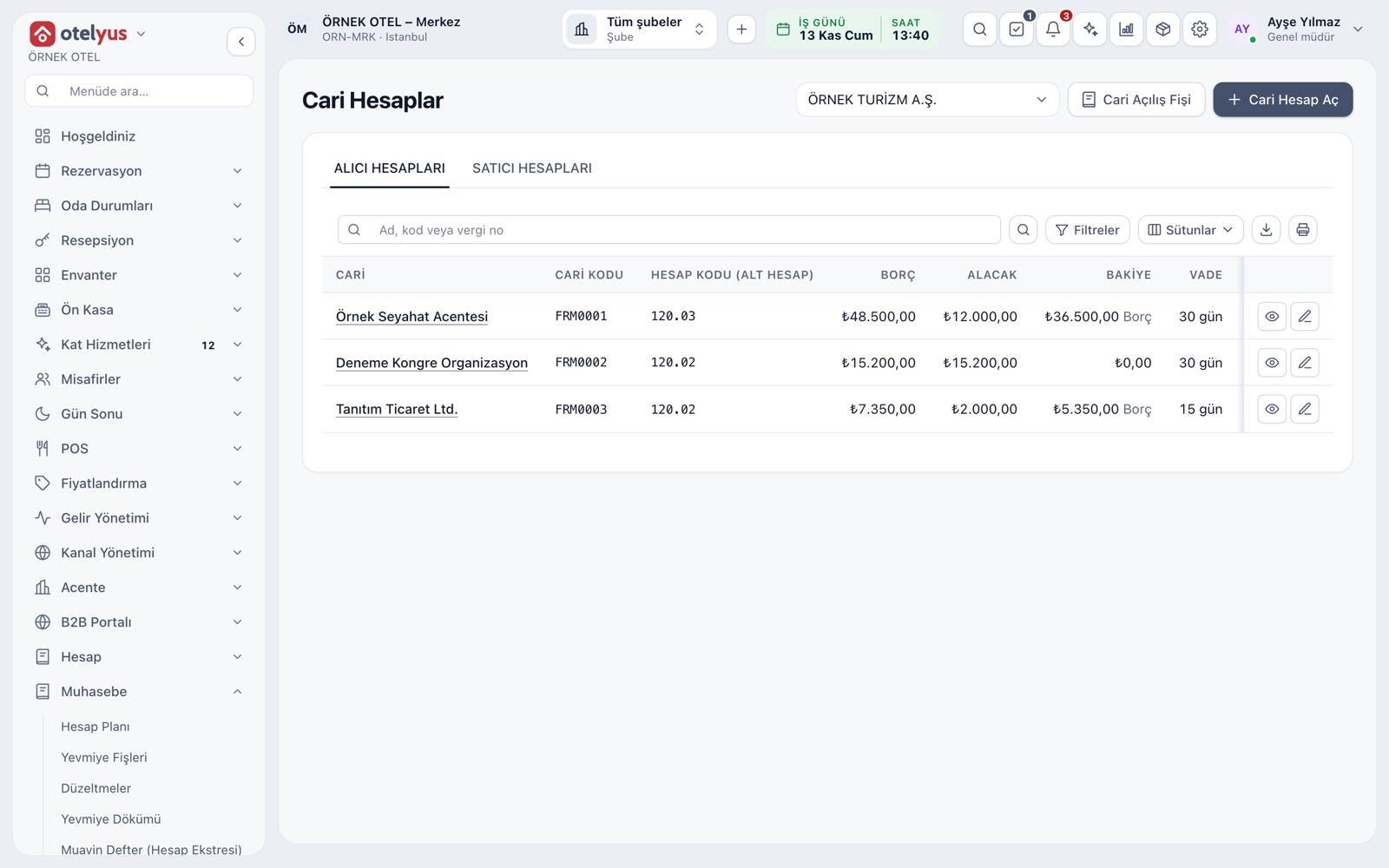
In accounting, each account gets one ledger account by type: receivable accounts track customer, company and agency balances owed to you, and payable accounts track what you owe suppliers. The account is opened with its own sub-account in the chart, with a due-date term and a risk limit.
- A warning badge appears when the risk limit is exceeded.
- With no term set, the due date is the document date.
- The currency cannot change after the account is opened.
Statements, Open Items and Set-Off
An account statement gives the opening balance, the debit and credit entries and the closing balance for the chosen range. Open items show unsettled documents with their due date and delay. A card's receivable and payable balances are offset with a single entry, and a wrong match is undone rather than deleted.
- A POS bill charged to an account appears on the statement at once.
- An unmatched payment or advance settles the oldest due item.
- Every action is written to the audit trail.
Ageing and Due Alerts
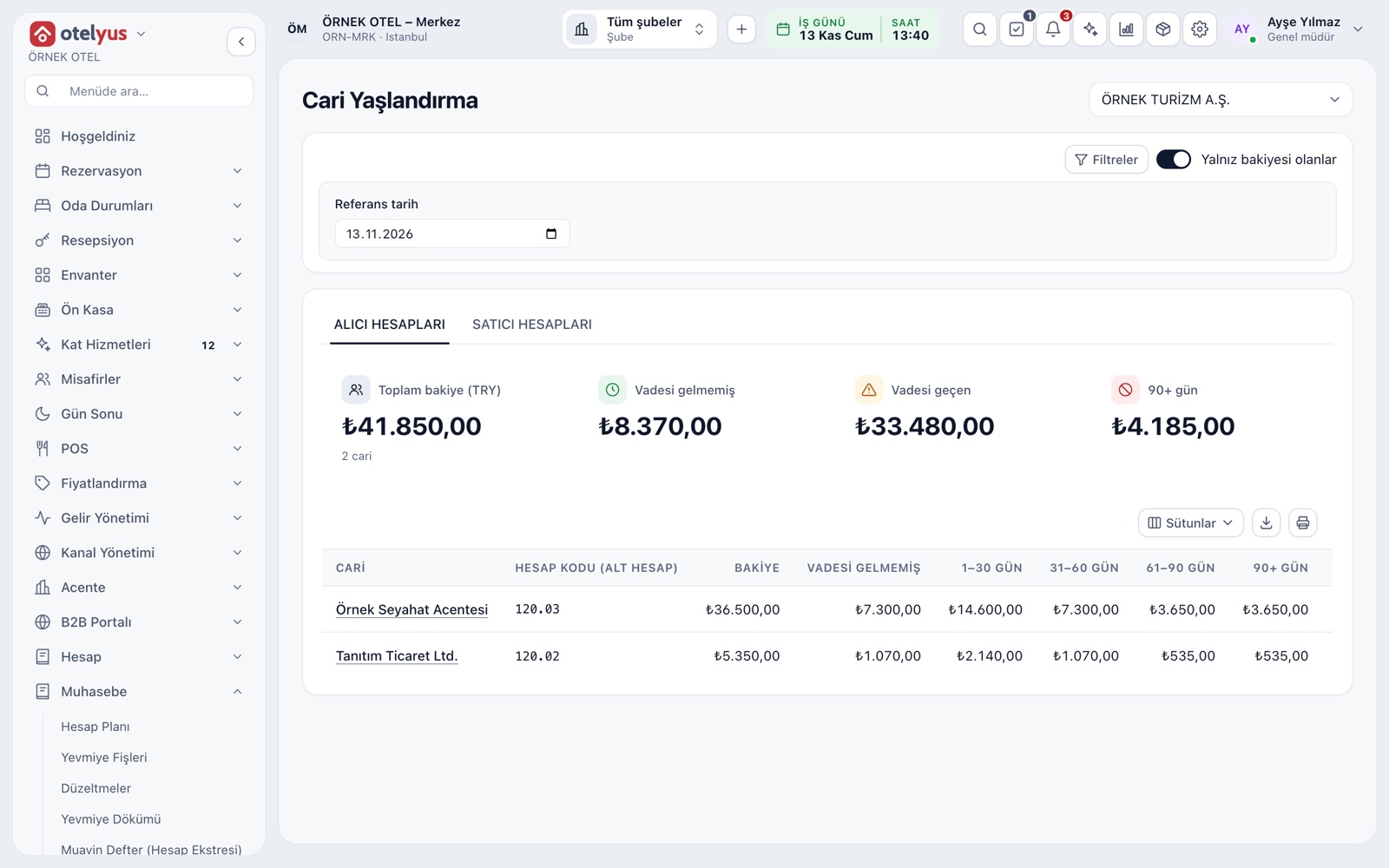
The ageing report splits the balance into current (not due), 1–30, 31–60, 61–90 and over 90 days. Receivable and payable accounts are followed on separate tabs. Due alerts list items that are overdue, coming due or over their limit.
- The summary card shows the total, overdue and over-90-day amounts.
- You can list only accounts that have a balance.
- The report can be printed and exported.
Agency Reconciliation
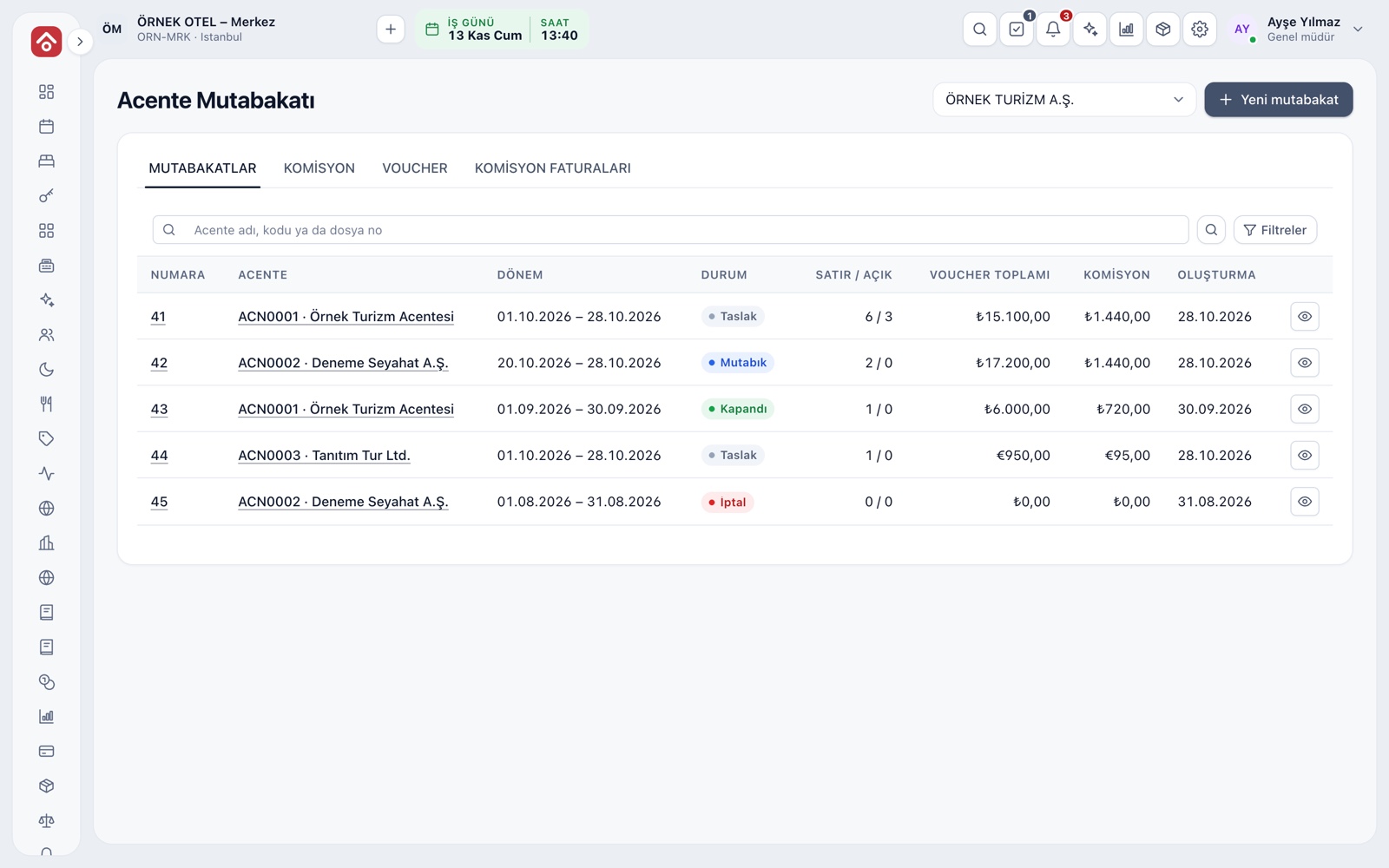
For a chosen agency and period, confirmed commissions and open vouchers are gathered in one file. The commission, voucher and commission invoice tabs close the agency's account. For commissions with no invoice received, a month-end accrual is posted.
- The commission model can be gross or net.
- Vouchers not assigned to an agency are listed separately.
- A warning appears if the VAT rate on a commission invoice differs.
Modules used together
City Ledger and Open Accounts
City ledger means transferring an in-house guest's bill to a company or travel agency. The transfer is approved, posted to the account when the folio closes, and the open balance is followed with ageing.
Learn moreSupplier Payables
Supplier balances and payment plans
Learn moreSales and Purchase Invoices
Issue invoices, purchase invoices, cancellations and returns
Learn morePayments and Receipts
Collection and payment vouchers
Learn moreJournal Entries and Corrections
Journal entry, corrections and voucher review
Learn moreFrequently Asked Questions
Can I record the same company as both customer and supplier?
Yes. An account can have several roles. Receivable and payable accounts are opened separately, and if you wish, one card's receivable and payable balances are offset with a single entry.
Are ID numbers safe?
The number is masked in lists. The full value is shown only to users with the right permission, with a reason, and that access is logged.
Can I delete an account?
Accounts are not deleted; they are set inactive and can be reopened. This keeps past activity and statements intact.
How do I bring over balances from my old program?
With an opening entry: you enter the open documents one by one and save them as a single entry. The old system's code can be kept in a separate field on the account card.
Is an account shared across all screens?
The directory is shared. You mark which screens an account can be chosen in; with several groups selected, the same record appears on all the relevant screens of your business.
Meet Account (Ledger) Management
Let us call you for a live walkthrough, or try it free for 1 month.