
Event Management
An event's whole life, from quote to confirmation, event day and cancellation or settlement, is followed in one record. Statuses are clear, transitions follow rules and every step is logged.
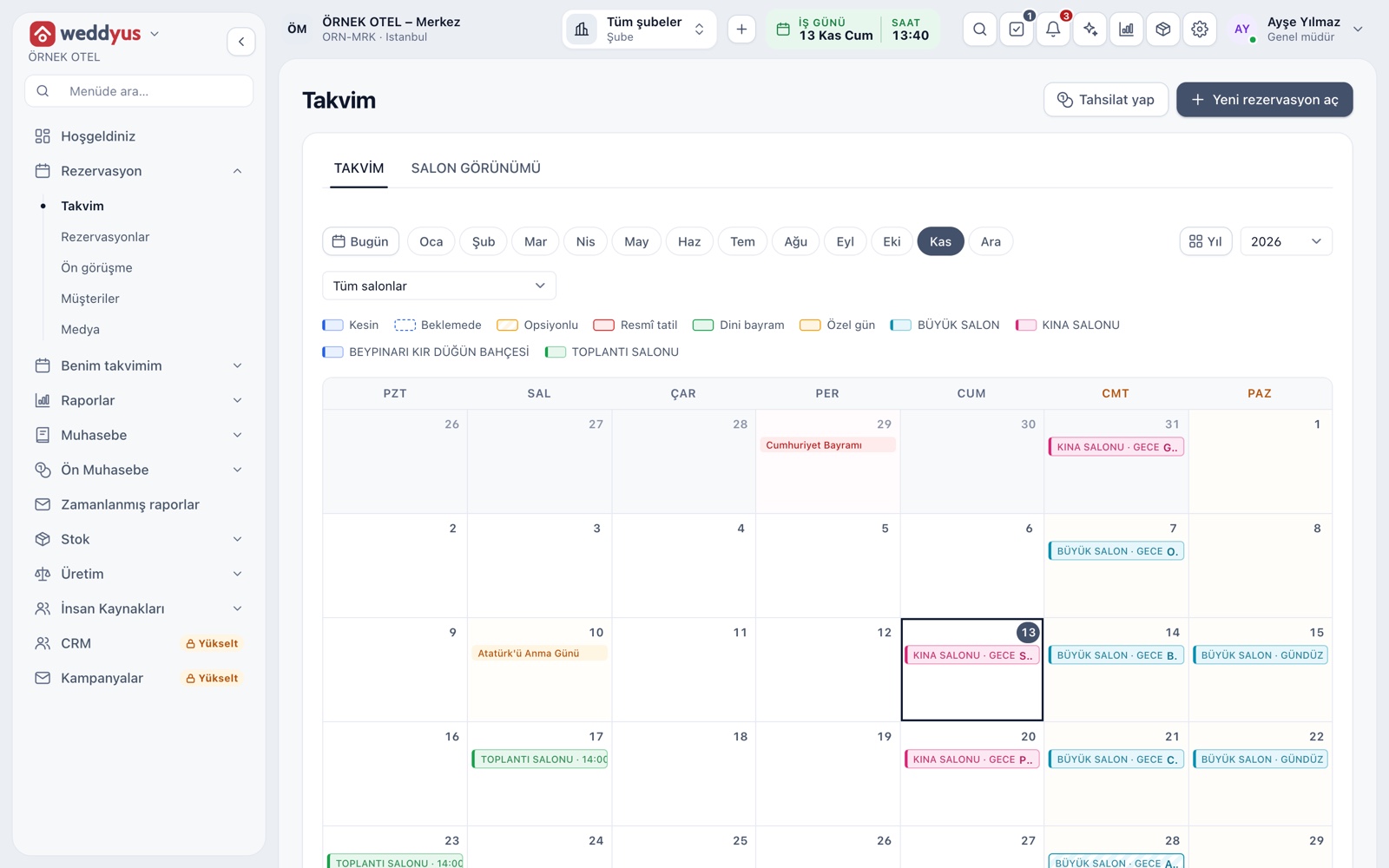
Six statuses, one record
Every event sits in one of six statuses. A Quote does not hold the venue; On hold holds it without limit, Optioned for a set time; Confirmed is tied to a contract. An option that runs out becomes Lapsed, and a dropped booking becomes Cancelled. Bar style on the calendar shows the status at once.
- A quote is for a customer whose price is discussed but date not reserved
- Lapsed is set only by the system, when an option ends
- Transitions follow rules; confirming needs a contract amount
- The venue conflict check runs again on every transition
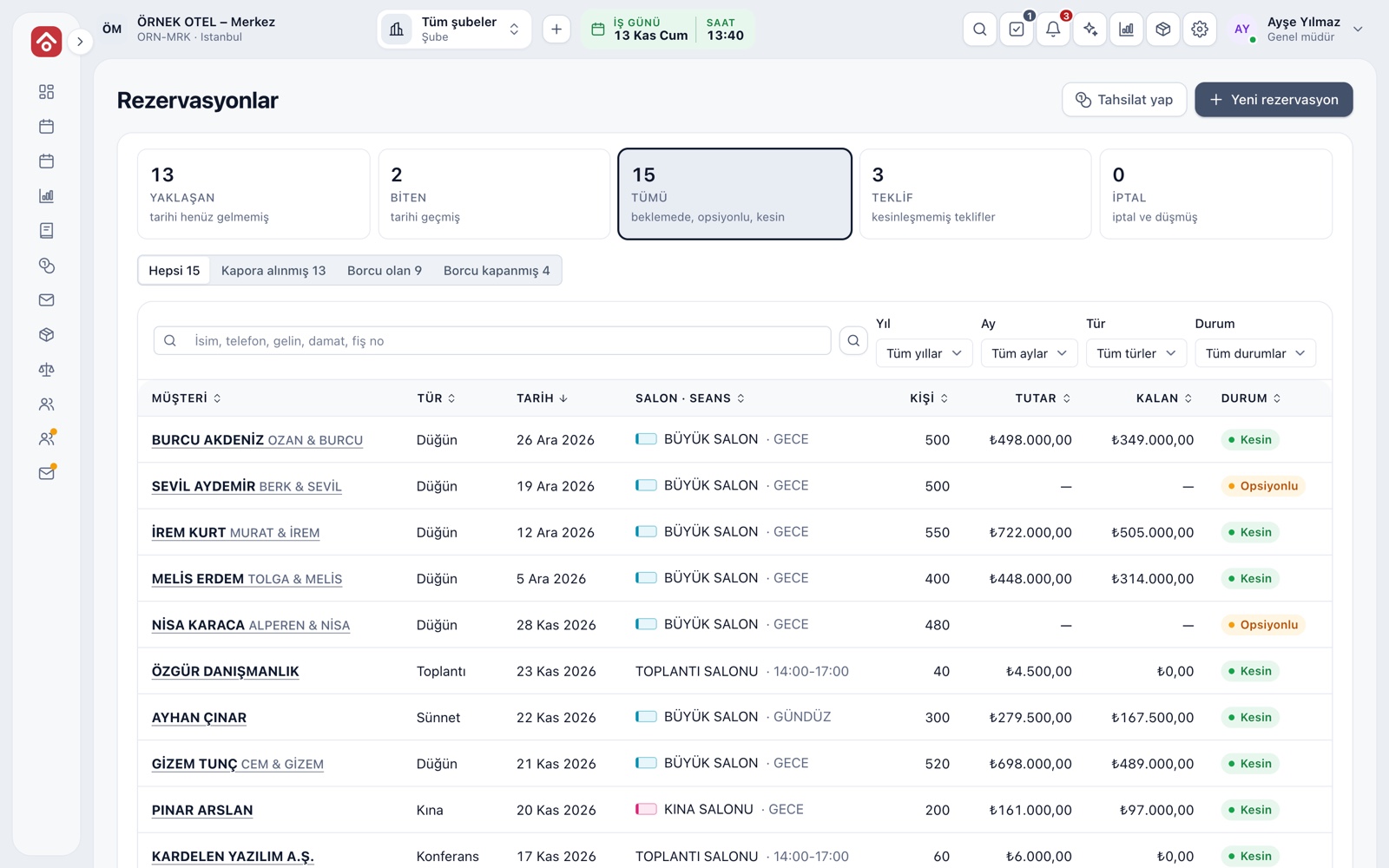
Status views in the list
The Bookings screen splits jobs into Coming up, Past, All, Quotes and Cancelled. Payment chips filter jobs with a deposit received, with a balance due or settled. The badge on a row shows status, and the color in the venue column shows the venue.
- Year, month, type and status filters work together
- Search by name, phone, bride, groom or receipt number
- Numbers on the cards update with the filters
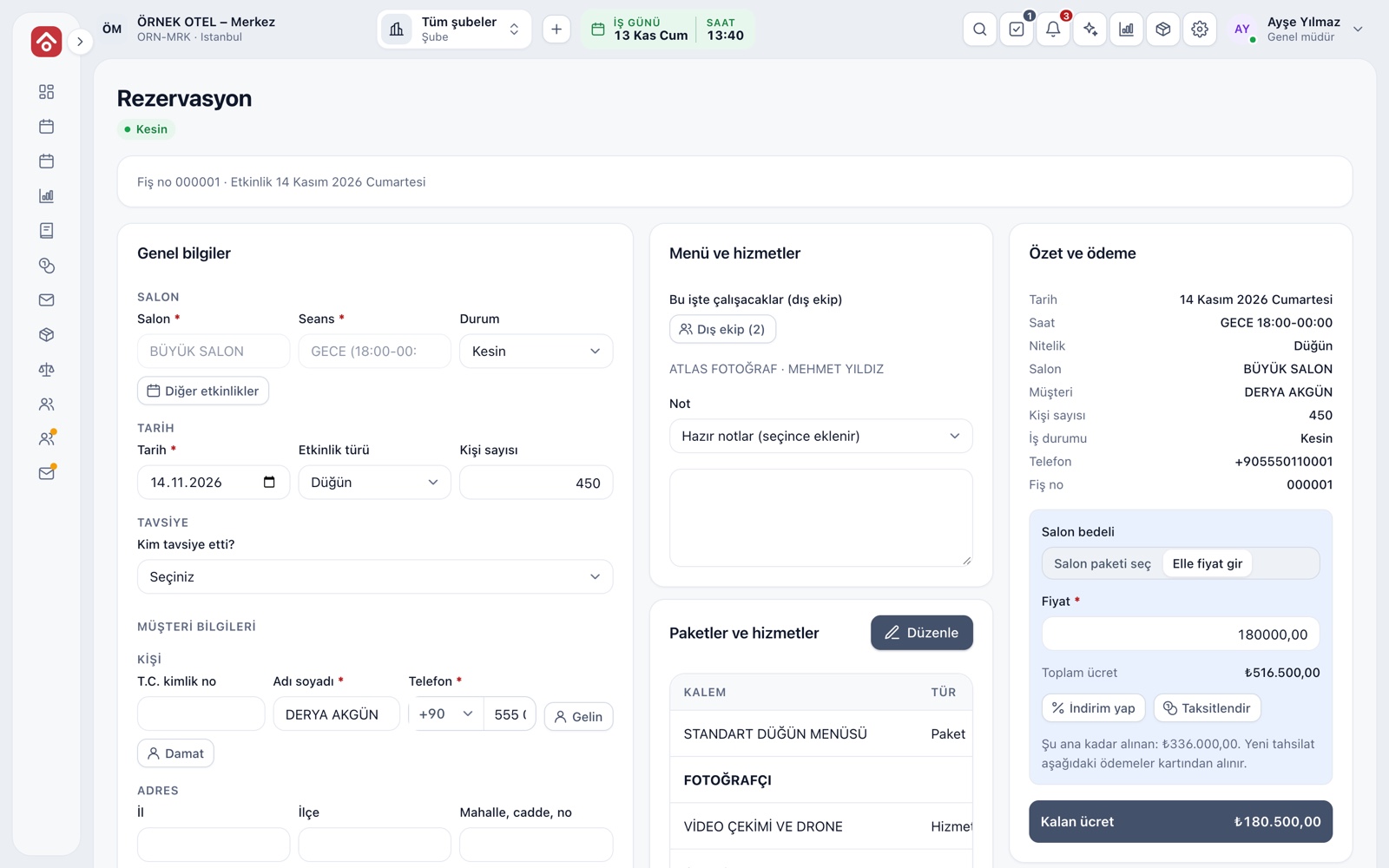
Event detail screen
Click a row and the full file of the event opens. The header holds the receipt number, event day and status badge; below are columns for general details, menu and services, summary and payment. From here you change the status, set the amount, and define discounts and installments.
- Fields left empty are clearly marked in the summary column
- Leaving with unsaved changes triggers a warning
- A cancelled booking is read-only
Expected, guaranteed and actual guests
An event's numbers rest on three guest counts. The expected count is written at the first talk, the guaranteed count is what the customer commits to, and the actual count is settled on the day. In settings you choose which count package and product quantities follow.
- If no guarantee is given, the expected count counts as guaranteed
- When the count changes, package and product quantities are recalculated
- The screen reminds you if the contract amount differs from the sales total
Linked days: henna night, engagement, outdoor shoot
A wedding often runs longer than one day. Henna night, engagement or outdoor shoot days are attached to the same booking. A linked day does not hold the venue or open its own payment flow; everything gathers in the main booking's payment, so the couple's whole program stays in one file.
- Each day gets a type and a note
- The number of linked days shows on the button
- If a venue is needed, a separate booking is opened
Cancellation and settlement
A booking is never deleted; it is cancelled with a required reason and the venue is freed at once. On a confirmed job a settlement opens: the suggested cancellation fee from the contract's tier and the maximum refundable amount appear on screen. Check the tax result with your accountant.
- The fee is suggested by days remaining before the event
- A refund cannot exceed the refundable maximum
- Payment and refund records cannot be edited; corrections are new entries
Accounting after the event
Deposits received are tracked as advances without an invoice. After the event, income and VAT are posted, the final invoice drops into the To-be-invoiced list and deposits are offset. Rates and timing depend on regulation; confirm them with your accountant.
- Posting is set by the number of days after the event
- Each booking shows its accounting status and the amount posted to income
- See Deposits and Installment Collection for detail
Modules used together
Venue Calendar and Booking
Day/night calendar, option periods, conflict warnings
Learn moreLeads and Customers
Lead card, meeting notes and conversion to customer
Learn moreWedding Tracker
One file for every event
Learn moreDeposits and Installment Collection
Payment plan, collection, receipt and reminders
Learn moreEvent Operations
Staff, equipment and task lists
Learn moreFrequently Asked Questions
What is the difference between a quote and an option?
A quote is only price information and does not hold the venue. An option holds the venue until the set date; when time runs out the record lapses on its own.
Can I delete a confirmed booking?
No. A booking is cancelled with a written reason and the record stays on file. If payment was taken, the cancellation settlement sets the fee and refund.
Is a completed event a separate status?
No. A confirmed booking whose day has passed moves to the Past view and is posted to accounting after the event.
Can I restore a lapsed record?
If the venue is still free, you can make it on hold, optioned or confirmed again. If the venue went to someone else, the screen warns you.
What if the guest count changes later?
You enter the guaranteed and actual counts separately. The billed count follows your chosen rule and quantities are recalculated.
Meet Event Management
Let us call you for a live walkthrough, or try it free for 1 month.