
Packages and Menu Planning
Define wedding packages, menus, drinks and cake once, and quantities and amounts are calculated from the guest count on each booking. Price list sending and bulk price increases are on the same screen.
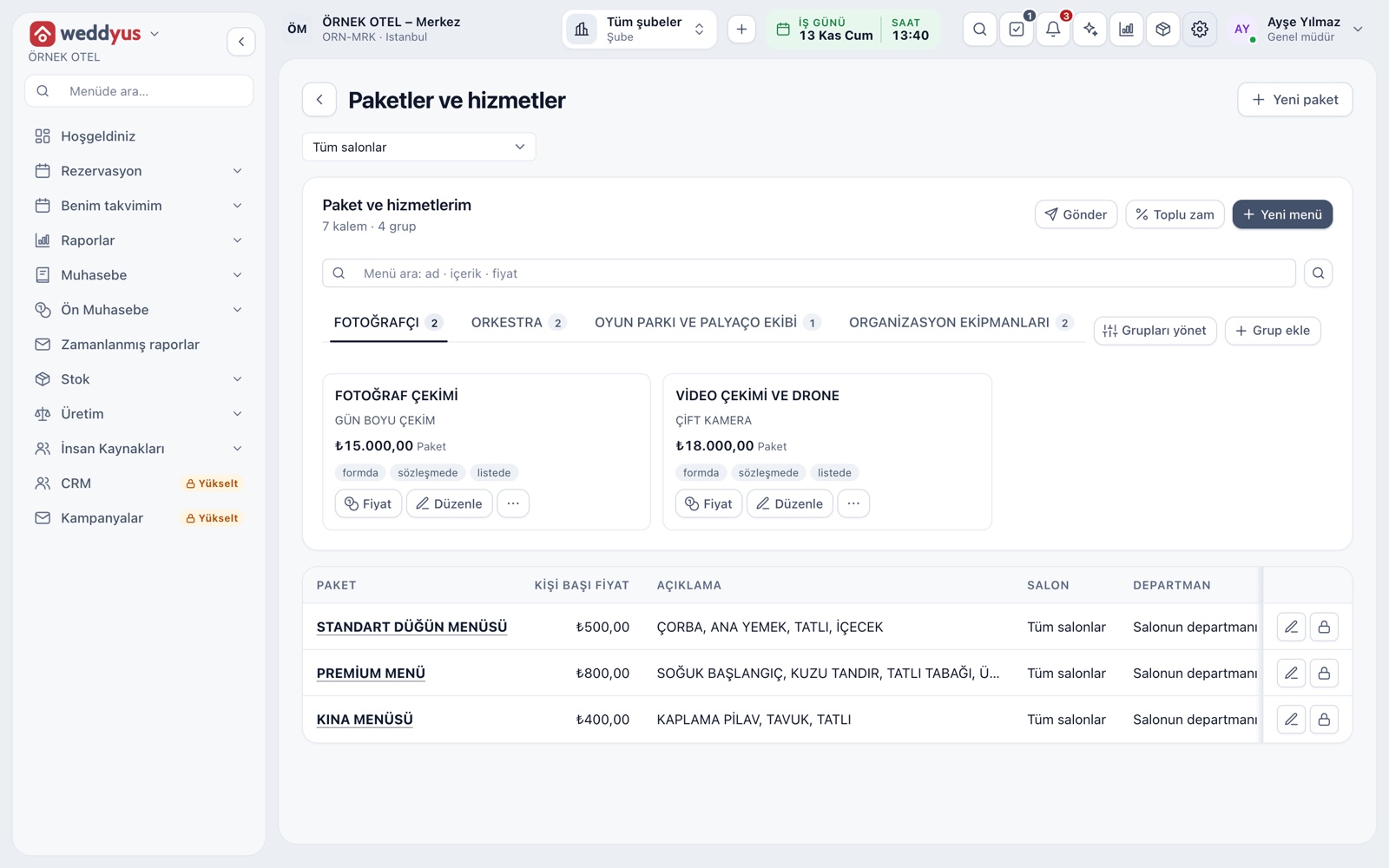
Packages and services board
The Packages and services screen is the single home of your sales catalog. Items sit on cards in tabs split into groups, each showing name, content, price and unit. Below, per-guest packages are listed as a table.
- You name groups yourself and reorder them by dragging
- Where an item shows is chosen separately: form, contract or price list
- A hidden item leaves the form; past records stay intact
- Items and groups link to one venue or all venues
Per-guest menu packages
A wedding menu is defined as a package with a per-guest price: name, price and content. The content is printed in the contract too, so the customer sees what they get from soup to dessert. On a booking, package quantity equals the billed guest count.
- Standard, premium and henna menus are kept side by side
- A package can apply to all venues or one
- A package price splits into shares, each under its own tax class
Drinks, cake and product sales
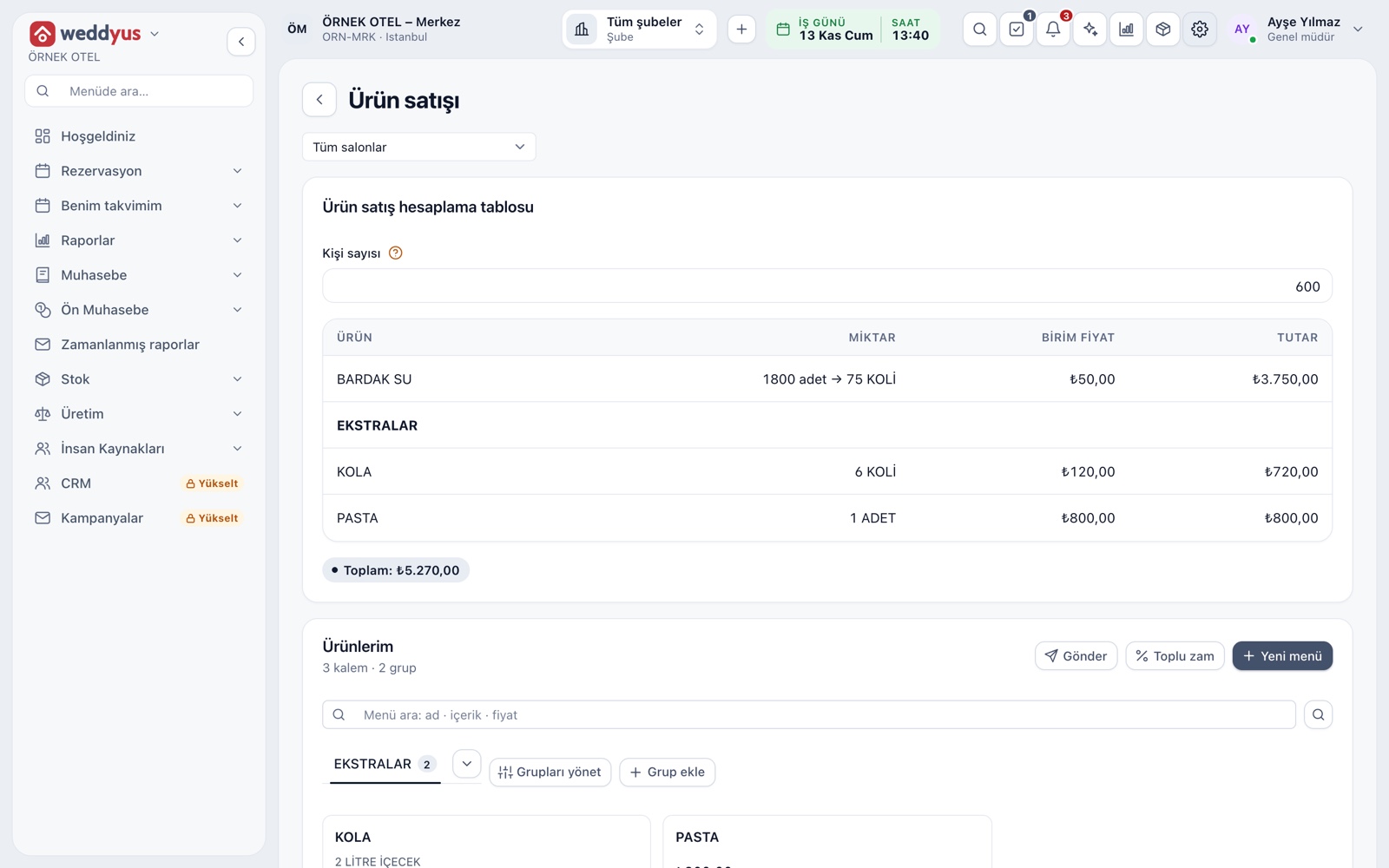
The Product sales screen carries items outside the menu: water, cola, cake, flowers. Enter the guest count and each product's quantity and amount appear at once, so no calculator is needed when quoting. Quantity follows a rule of Y units per X guests: 600 guests, 3 per guest and 24 per case make 75 cases.
- A non-whole result is rounded up, to the nearest or down
- With no ratio the quantity is fixed
- The quantity can be changed by hand on the booking
Price list and bulk increase
The Send button delivers the price list to a customer as WhatsApp text or a PDF; only items open in the list go out. A bulk increase updates the list in one step for a new season: choose percentage, scope and rounding. You can undo it for a short time after applying.
- Scope is the whole list or a chosen group
- Amounts on earlier bookings are not affected by an increase
- An item without a price reads Ask for price
Venue prices and seasons
The venue fee is an item too. For each venue you define named prices such as weekday daytime, Saturday night or summer season, with a start and end date. On a booking, Select venue package picks one of these prices.
- Leave the date range empty for an open-ended price
- A package price change keeps earlier bookings' amounts
- A note can be added to every price
Settings and stock deduction
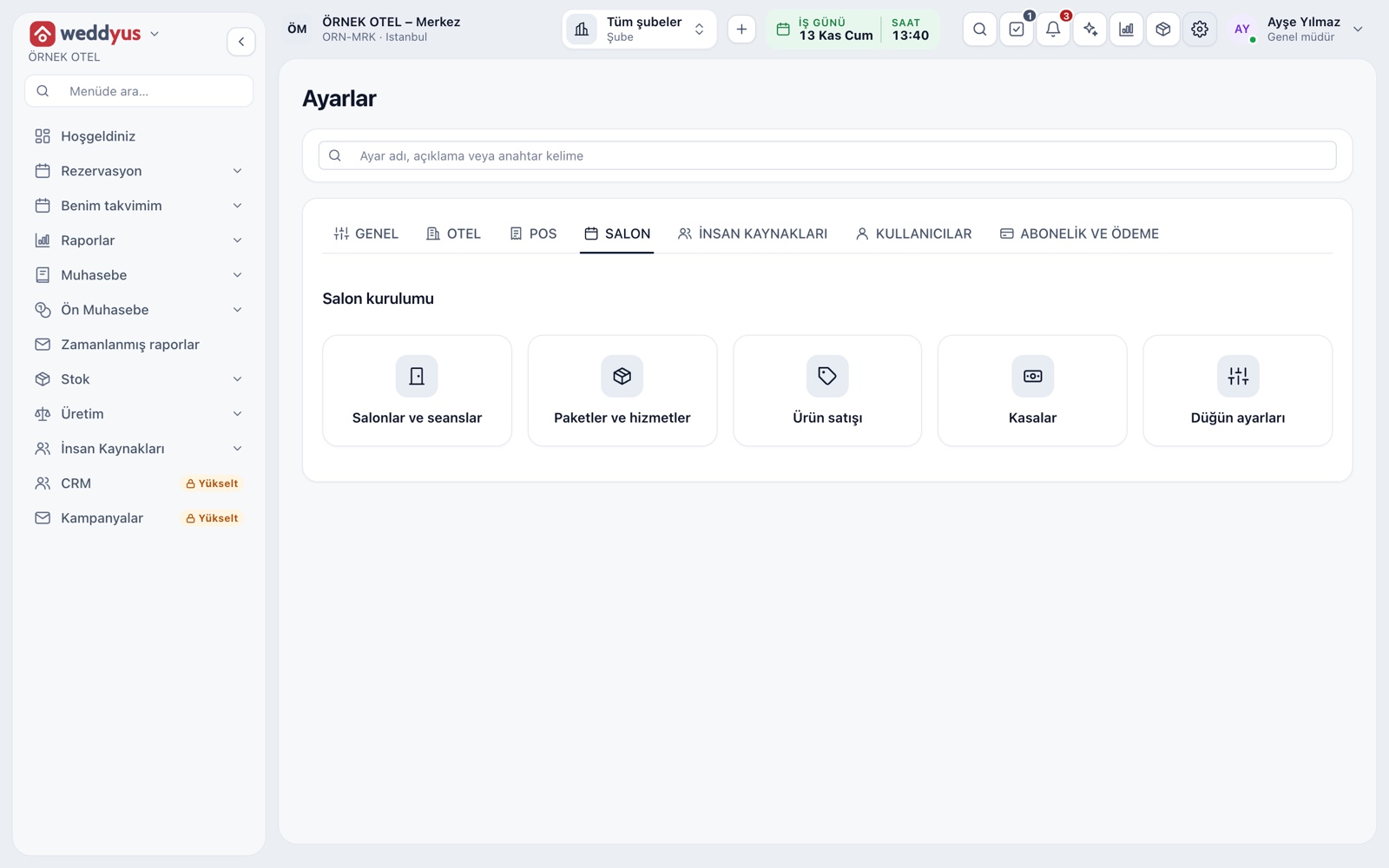
All setup sits in the Venue tab of Settings: venues and sessions, packages and services, product sales, cash registers and wedding settings. If a stock card is linked to a product line, a confirmed booking's product is deducted on the event day from the warehouse matched to the venue.
- Sales type and the billed-guest rule are chosen in wedding settings
- A cancellation or change writes a correcting movement
- Stock is a shared module and opens if it is in your plan
Modules used together
Quotes and Contracts
Same-day quote, PDF from template, digital approval
Learn moreEquipment and Extra Services
Sound, lighting, decoration and other add-on items
Learn moreVenue Calendar and Booking
Day/night calendar, option periods, conflict warnings
Learn moreWedding Tracker
One file for every event
Learn moreVenues and Spaces
Capacity, layout types, combinable spaces, pricing
Learn moreFrequently Asked Questions
Is menu content written into the contract?
Yes. If Show in contract is selected for an item, the package's content prints under the item in the contract.
Are quantities recalculated if the guest count changes?
Yes. Package and product quantities follow the billed guest count, so they come back when the count or rule changes. You can also type a quantity by hand.
Does a price increase affect past bookings?
No. An increase only updates the catalog price. A booking line keeps the price it was saved with.
Can I make a package specific to one venue?
Yes. Packages, products and groups can apply to all venues or to a single chosen one.
How do I send the price list to a customer?
With the Send button you produce WhatsApp text or a PDF. Only items open in the list are included.
Meet Packages and Menu Planning
Let us call you for a live walkthrough, or try it free for 1 month.