
Trial Balance and Financial Reports
Trial balance, general ledger, sub-ledger, balance sheet and income statement are produced from the unalterable books. Every figure can be traced to its entry and line, and ledger files go to your accountant.
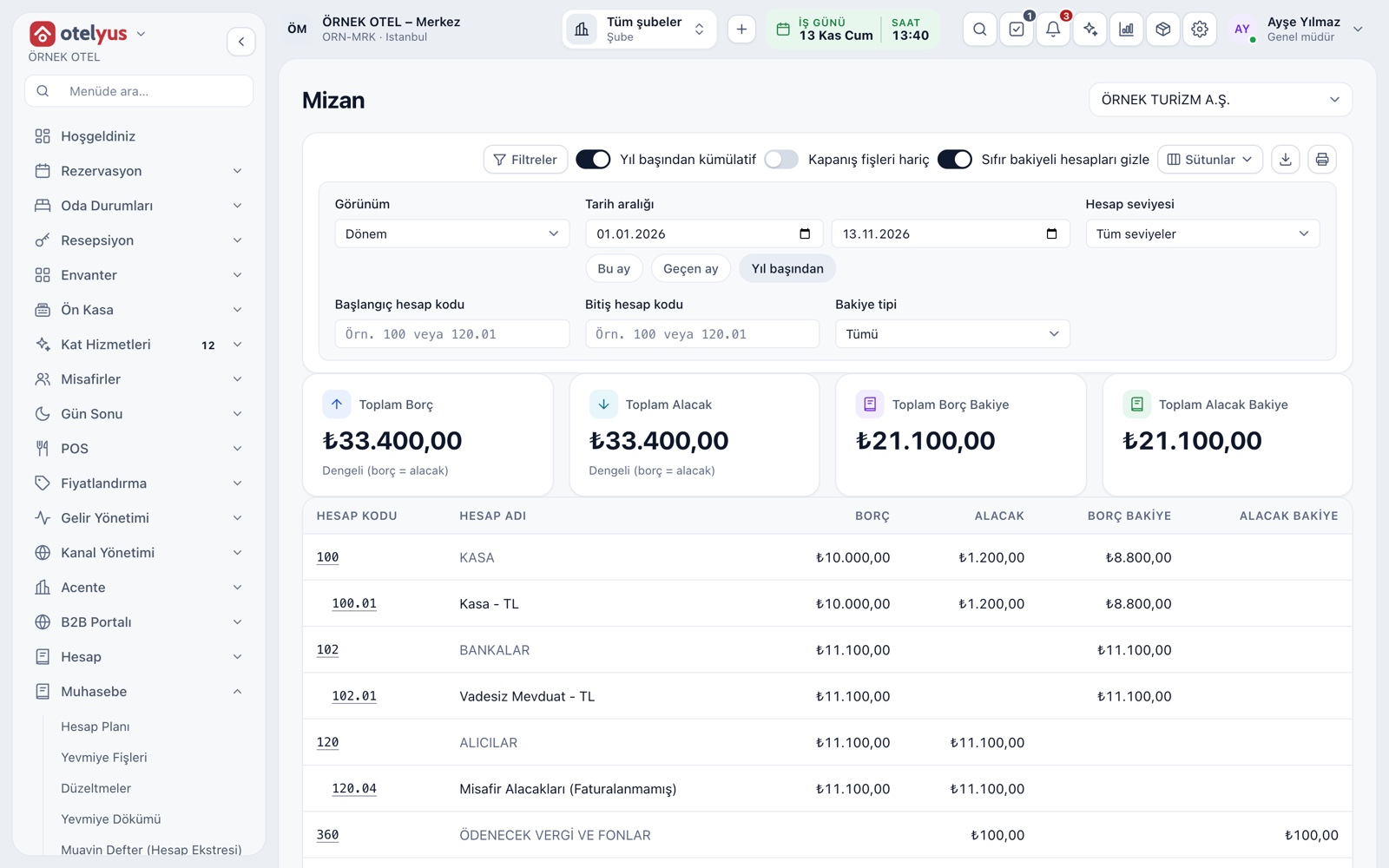
Trial Balance
The trial balance shows each account's opening balance, period activity and closing balance in a hierarchy for the chosen date range. The cumulative view adds debits and credits from the start of the fiscal year, and the monthly view gives each month its own column. A summary card at the top says whether debits and credits are equal.
- The report can be rolled up to main-account level.
- Zero-balance accounts can be hidden.
- Excluding closing entries gives the pre-closing trial balance.
- If totals do not balance, the report warns you.
General Ledger and Sub-Ledger
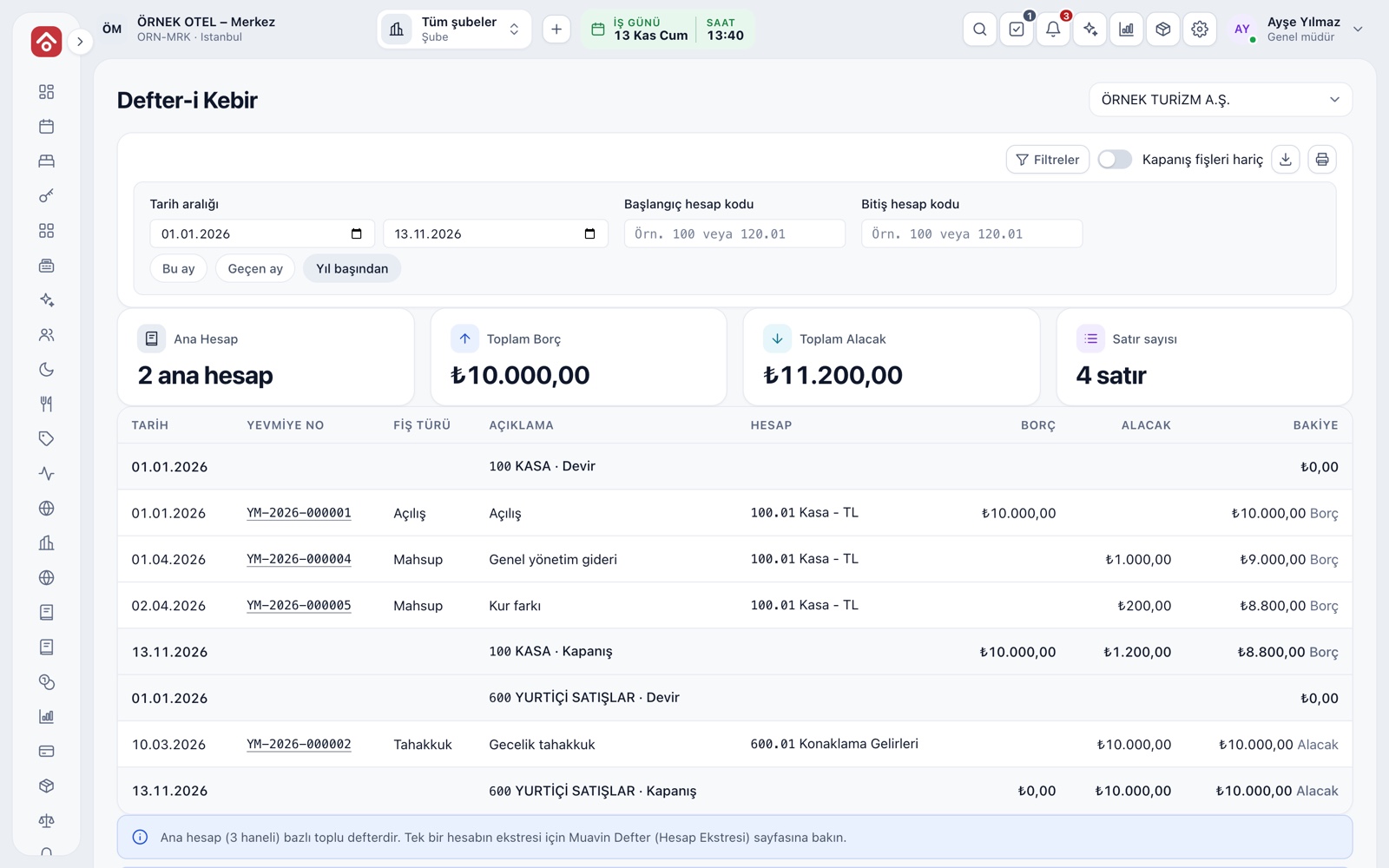
The general ledger shows accounts at three-digit main-account level, with opening, activity and closing lines. For the statement of a single account you use the sub-ledger: opening balance, entries and running balance, each line carrying its entry number.
- Narrow the report by date and account code range.
- The sub-ledger opens from the chart of accounts and from entry posting.
- Ready-made ranges include this month, last month and year to date.
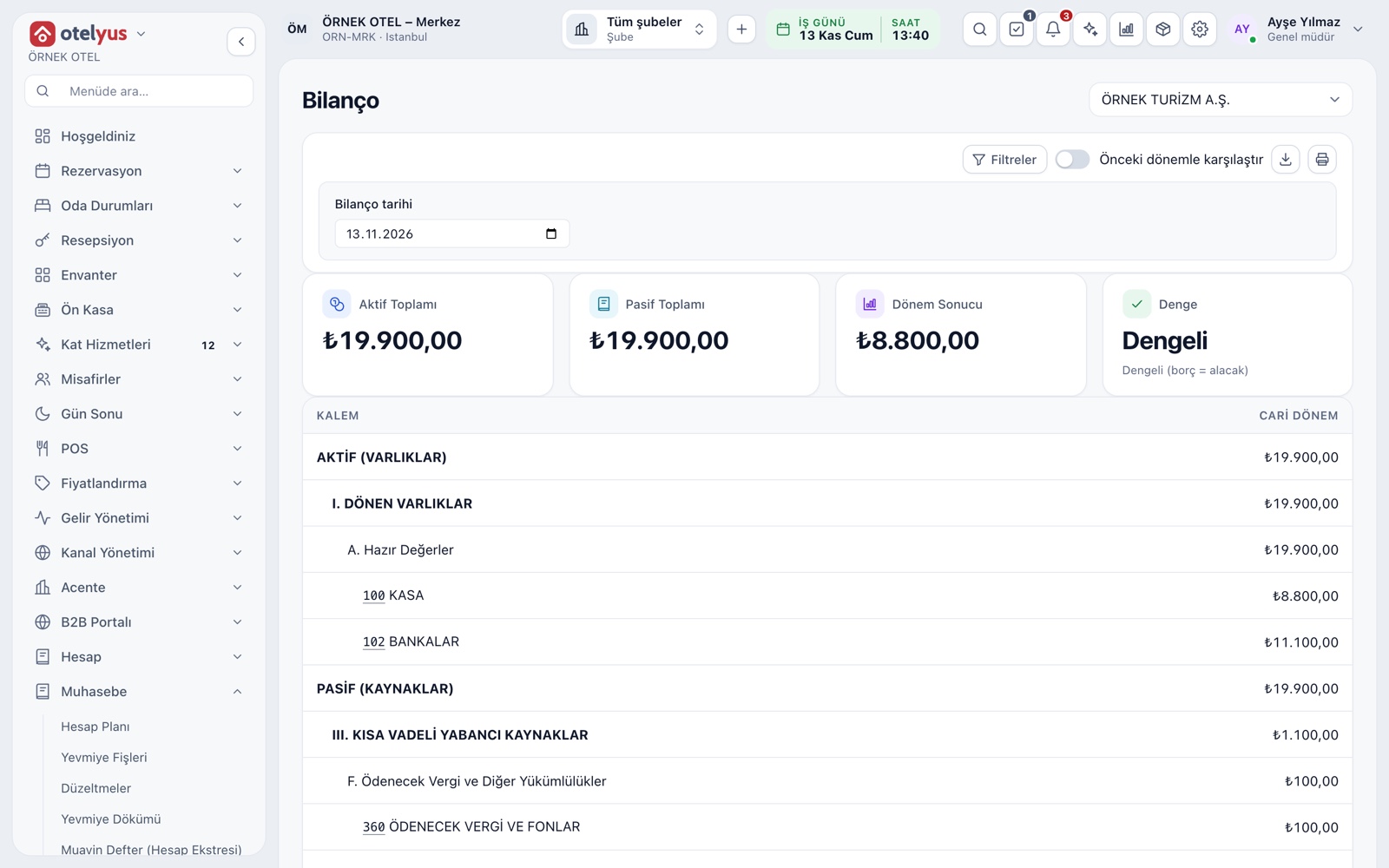
Balance Sheet
The balance sheet is laid out in asset and liability groups: current assets, fixed assets, liabilities and equity. A comparison column for the previous fiscal year end can be added beside the current period. If closing has not been done, the period result is calculated from the income and expense accounts and shown.
- Assets and liabilities totals are shown side by side; an imbalance is flagged.
- Sub-groups carry the uniform chart's line names.
Income Statement
The income statement runs from gross sales to net profit for the period, line by line: sales discounts, cost of sales, operating expenses, financing expenses and tax provisions. You pick the period and can compare it with the previous one.
- Gross profit, operating profit and ordinary profit appear as separate subtotals.
- Unclassified accounts are followed in a separate section.
VAT Return Summary
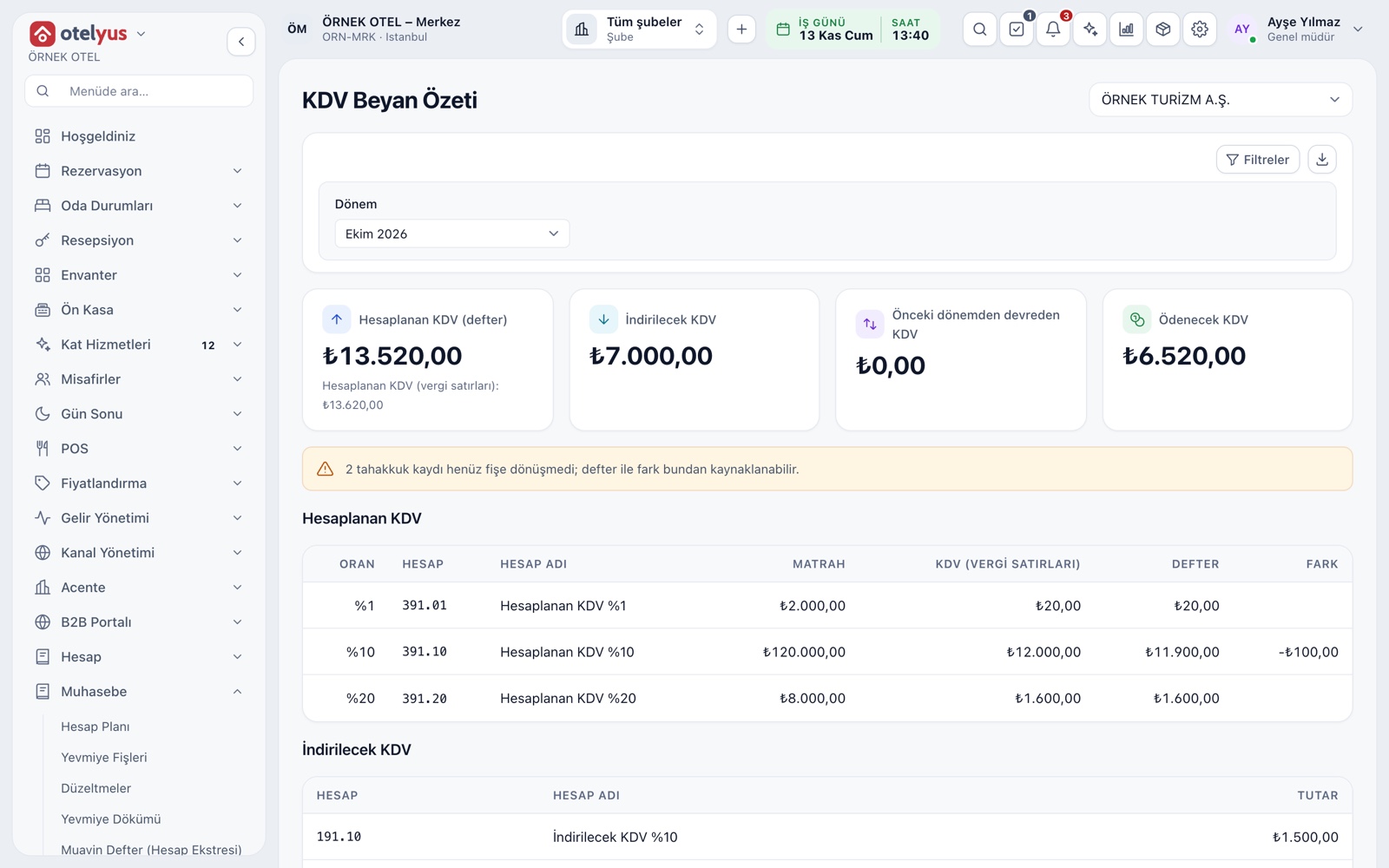
The VAT summary gives output VAT by rate and input VAT by account, and works out the amount payable or carried forward together with the VAT carried over from the previous period. Tax lines from folios, POS, events and manual invoices are considered together. It is a filing support summary; returns are not submitted from this system.
- Withholding VAT is shown in a separate section.
- Any gap between the books and accrual records is reported.
- Please confirm rates and dates with your accountant.
Export for Your Accountant
The Export page produces the journal, general ledger, trial balance and chart of accounts as CSV, Excel or XML files. You map the generic template in the import wizard of your accountant's program. The file is produced from the read-only books and creates no new records.
- Every download is written to the export log.
- An outside accountant is invited with read-only access.
- Trial balance and ledger are taken within a single fiscal year.
- Each report header states its scope, who prepared it and when.
Modules used together
Accounting
Uniform chart of accounts, trial balance and VAT
Learn moreChart of Accounts and Groups
Chart of accounts, account groups and account types
Learn moreJournal Entries and Corrections
Journal entry, corrections and voucher review
Learn moreFiscal Years and Periods
Open, close and lock periods
Learn moreTax, Withholding and Exemption Codes
VAT and accommodation tax rates are kept with their effective dates, and every line stores the rate of its transaction date. Withholding and exemption codes are checked on the invoice before it is issued. Confirm rates and dates with your accountant.
Learn moreFrequently Asked Questions
What if the trial balance looks out of balance?
The report shows a warning. Tell your accounting manager so that the entries and journal records can be checked.
Do the balance sheet and income statement replace official filings?
No. The reports are produced from the books and support your filings; returns are not submitted from this system.
Can I take ledger data to Excel?
Yes. The Export page produces the journal, general ledger, trial balance and chart of accounts as CSV, Excel or XML files.
What does the exclude closing entries option do?
It leaves out the year-end closing entries so you can get the trial balance, ledger or balance sheet as it was before closing.
Meet Trial Balance and Financial Reports
Let us call you for a live walkthrough, or try it free for 1 month.