
e-Ledger Preparation
For e-Ledger you follow the approval certificate calendar, run a pre-check on the period and prepare the journal and general ledger files. Signing with a financial seal and uploading to the tax authority (GİB) are done in your own tool or integrator.
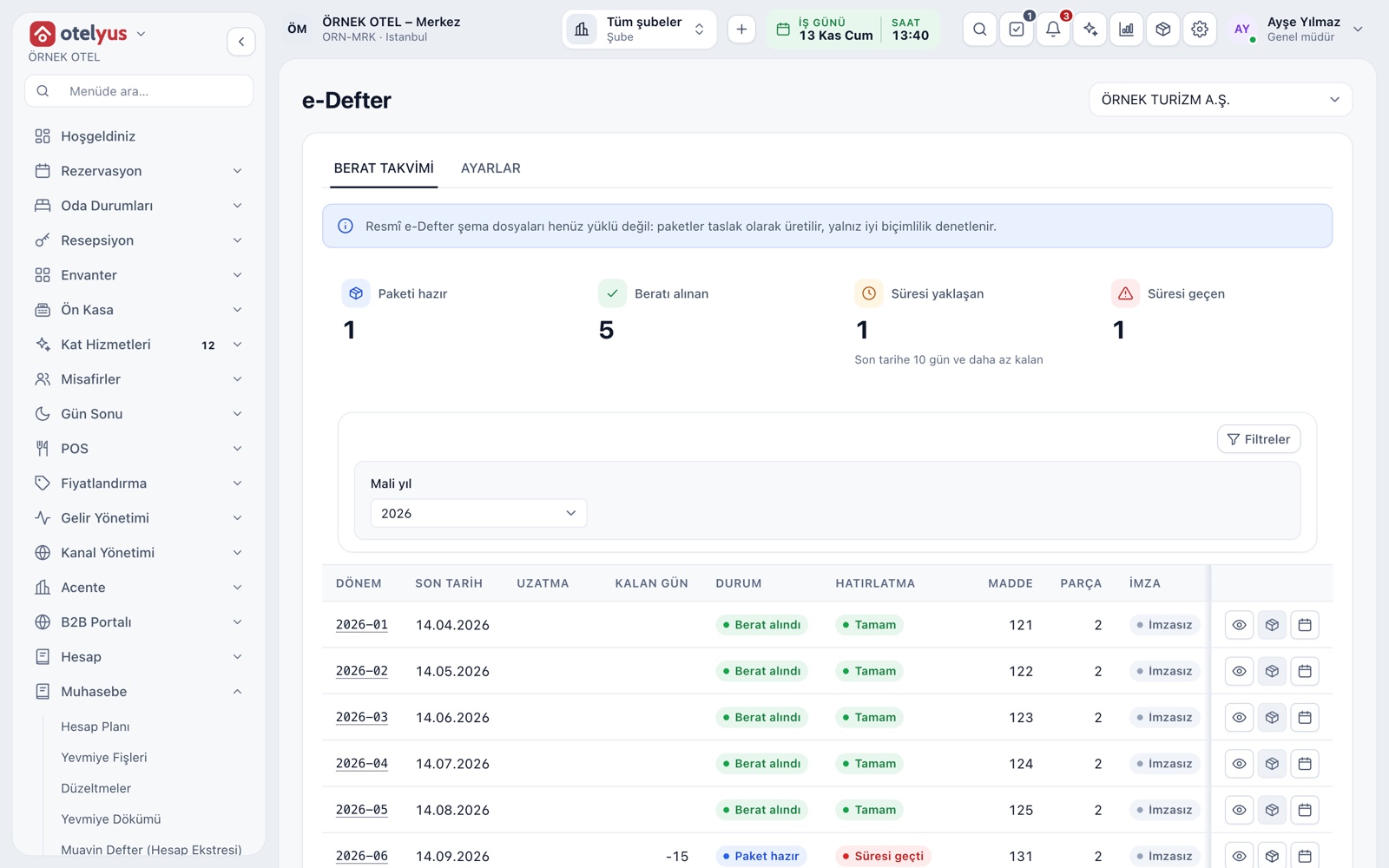
Certificate Calendar
The calendar lists the e-Ledger period, deadline, days left and status for each month of the fiscal year. Cards at the top count periods with a package ready, certificate received, approaching deadline and overdue; a row opens the period details.
- Statuses: Waiting, Package ready, Certificate received, Extended.
- The number of reminder days is set in settings.
- A card on the home page shows the next deadline.
Profile and Scope
Before preparing a package you complete the profile: start period, taxpayer type, certificate filing basis, address, activity and accountant details. If something is missing, the screen tells you which fields. Please confirm with your accountant whether your business must keep an e-Ledger.
- The name and tax number come from the legal entity record.
- No package is prepared for months before the start.
- The accountant's name and contract type go into the profile.
Pre-Check Before the Package
Before a package is prepared, the period goes through a check. Findings are listed as Blocking or Warning. The check covers the profile, the tax number, whether the period has ended, gaps in entry numbers, debit and credit balance and entries missing document details.
- Unbalanced entries are reported as a separate finding.
- An entry posted after the package triggers a re-preparation warning.
- With no findings, the period summary gives item and line counts.
Journal and General Ledger Files
If the pre-check is clean, the journal and general ledger are prepared in e-Ledger format, split into parts by size limit. For each part the range, line count, debit total and size are listed, and the files can be downloaded.
- Journal and general ledger are listed as separate items.
- A period with a received certificate cannot be prepared again.
- Signing and uploading to GİB happen in your own tool.
Source: Journal and General Ledger
The e-Ledger files come from the unalterable books. Before preparing a package, you can check the same data on the General Ledger and Journal Listing screens, and skipped entry numbers are caught in the pre-check.
- The ledger shows opening, activity and closing per main account.
- Entry numbers run in sequence by series and year.
- Package lines carry the document type and payment method.
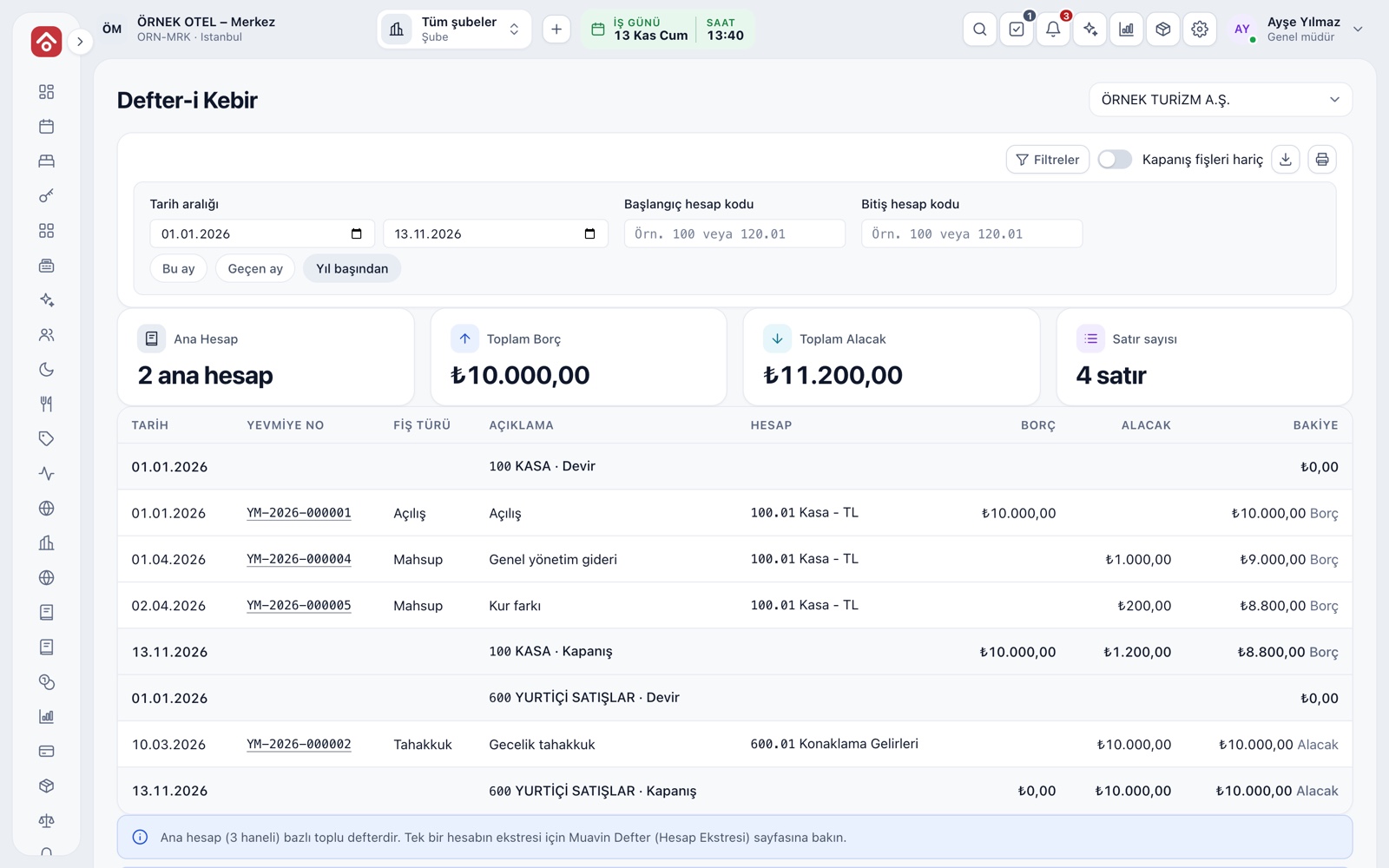
Certificate Record and Period Lock
After you receive the certificate, you record its date and reference; the period is locked and its package cannot be prepared again. Corrections are made with an entry in a later period, so the submitted ledger and the one in the system never drift apart. If GİB extends a deadline, you enter the new date per period.
- The Save and lock button does both in one step.
- The extended and statutory dates appear side by side in the period details.
- Please confirm current deadlines with your accountant.
Modules used together
Journal Entries and Corrections
Journal entry, corrections and voucher review
Learn moreTrial Balance and Financial Reports
Trial balance, balance sheet and income statement
Learn moreFiscal Years and Periods
Open, close and lock periods
Learn moree-Invoice and e-Archive
Electronic documents sent through an integrator
Learn moreAccounting
Uniform chart of accounts, trial balance and VAT
Learn moreFrequently Asked Questions
Is the e-Ledger mandatory?
It is mandatory for businesses that are e-Ledger taxpayers. Please confirm current scope and deadlines with your accountant.
Does the system send the e-Ledger to the tax authority?
No. The system follows the calendar, checks the period and prepares the ledger files. Signing and uploading to GİB are done in your own tool or integrator, and you enter the certificate details in the record.
What if GİB extends the deadline?
Enter the new date and the circular number in the period details. If you leave them empty, the statutory date applies.
What happens if I post an entry to a period whose certificate is already recorded?
Once the certificate is saved, the period is locked and its package cannot be prepared again. Corrections are made with an entry in a later period.
Meet e-Ledger Preparation
Let us call you for a live walkthrough, or try it free for 1 month.