
Venues and Spaces
Define your venues once: capacity, session or hourly slots, setup and teardown buffers, price packages and calendar color. The calendar, conflict check and reports all draw from these definitions.
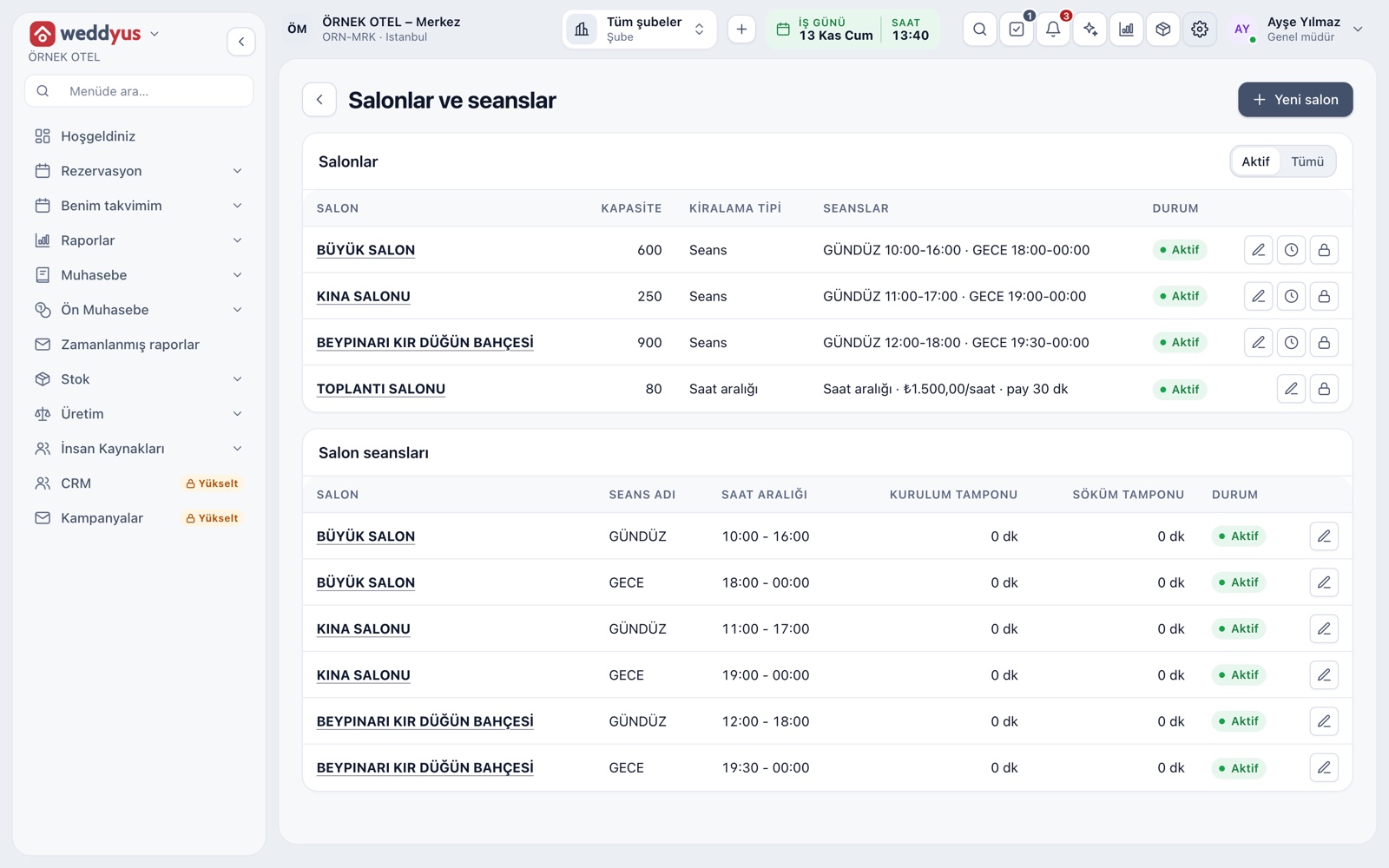
Venue card
A venue card holds name, capacity, rental type, branch, department and calendar color. The venue list shows capacity, rental type and sessions in one table. You give each venue a color, and on the calendar and in lists you recognize its jobs by that color.
- A venue is never deleted; it is deactivated and past bookings stay intact
- A venue with no chosen color gets a non-clashing shade
- Row buttons edit the venue, open its sessions or deactivate it
Setup on one page
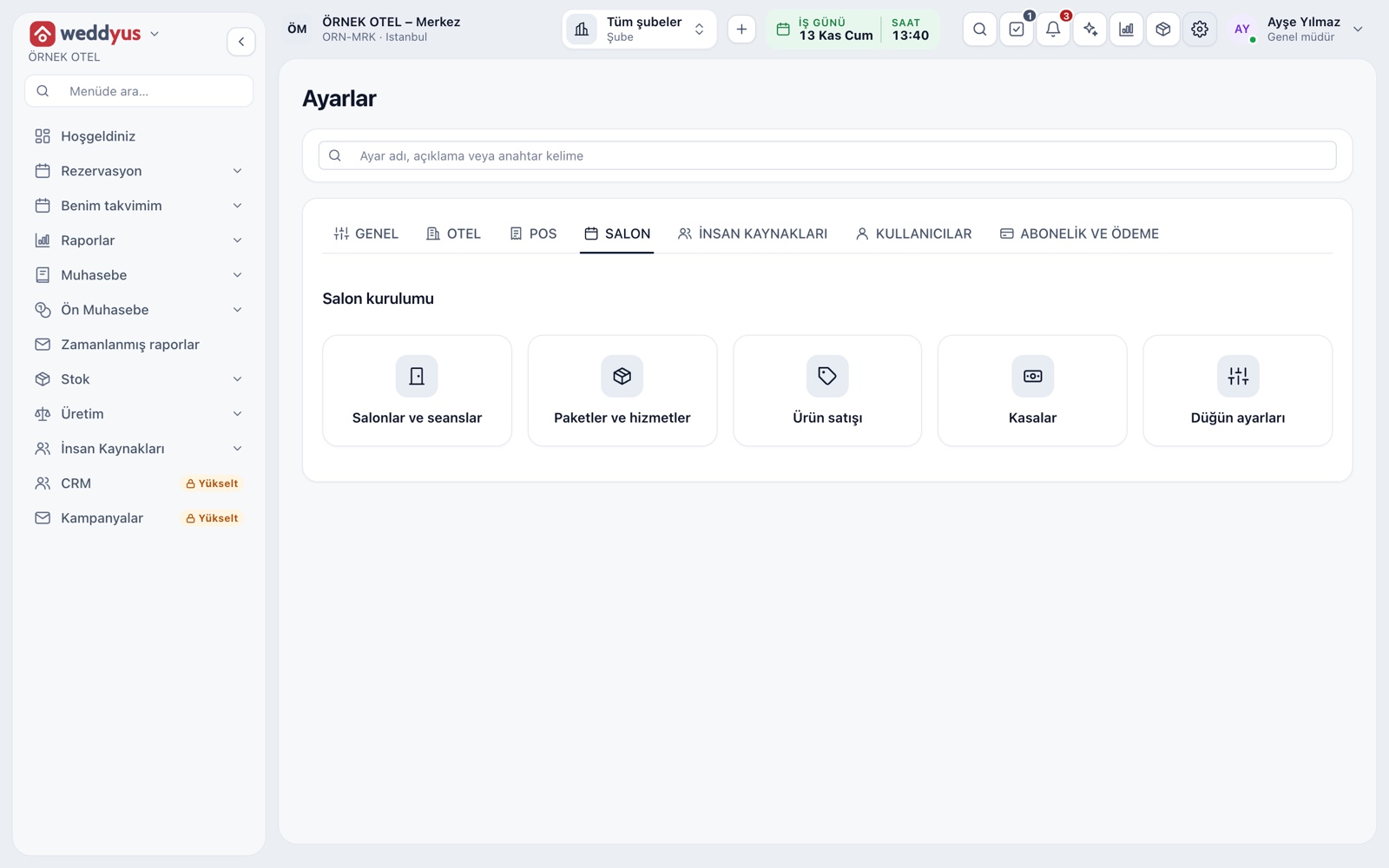
The Venue tab in Settings gathers setup into five cards: venues and sessions, packages and services, product sales, cash registers and wedding settings. Once the first venue exists, the calendar is ready; the other cards are completed as the work grows.
- Each card has its own permission
- Defining venues and managing prices can sit with different people
- Wedding settings hold option period, notifications, contract and colors
Sessions or hourly slots
In a session venue the day is split into fixed sessions, each with a name, start and end; if the end is before the start, the session runs into the next day. For spaces rented by the hour, such as a meeting room, choose Hourly: the start and end time are entered on the booking.
- Setup and teardown buffers are entered in minutes
- For an hourly venue, set an hourly rate and a cleaning buffer between jobs
- Session and hourly venues can sit in the same business
- The conflict check counts these buffers
Venue prices and packages
For each venue you define named prices such as weekday daytime, Saturday night or summer season, optionally with a validity range. On a booking, Select venue package takes one of these prices, or you type a price by hand.
- A later package price change keeps the amount on an existing booking
- A price with no range is valid without limit
- A package is deactivated, never deleted
Department, warehouse and cash links
A venue is more than a calendar row; it also knows where money and materials go. Collections and refunds go to its department's account, stocked products are deducted from the warehouse matched to the venue, and cash registers and catalog items can be open to all venues or one.
- If the department is empty, the default wedding income account is used
- Venues without a warehouse match show a warning in settings
- Registers, packages and services apply to all venues or a single one
Permissions and venue allowance
Defining venues and sessions is a separate permission, while reading venues is enough for anyone who takes bookings. The coordinator manages venues, prices and settings; the sales role reads venues and prices and creates bookings and quotes. The number of active venues follows your plan's venue allowance.
- An inactive venue uses no allowance
- There is no delete; venues and sessions are deactivated
- The outside crew role cannot reach venue definitions
Modules used together
Venue Calendar and Booking
Day/night calendar, option periods, conflict warnings
Learn moreMulti-venue Management
Multiple venues and branches in one account
Learn morePackages and Menu Planning
Wedding packages, menu, beverages, cake and decoration items
Learn moreEvent Types
Wedding, engagement, henna night, circumcision feast, conference, cocktail
Learn moreVenue Reports
Occupancy, revenue, deposit aging, conversion rate and cancellation reasons
Learn moreFrequently Asked Questions
Can one business have both session and hourly venues?
Yes. Rental type is chosen per venue. You can define a wedding hall with day and evening sessions and a meeting room with hourly slots.
Can I change session times while booking?
Session times belong to the venue definition and a booking picks that session. If you need other hours, define the venue as hourly or add a new session.
What happens if the guest count exceeds capacity?
Capacity is an information field; the booking's guest count is not compared with it or blocked.
Can I delete a venue?
No. Venues and sessions are deactivated, not deleted, so past bookings, payments and reports stay complete.
Meet Venues and Spaces
Let us call you for a live walkthrough, or try it free for 1 month.