
Venue Calendar and Booking
See your venues' occupancy through the year, with day and evening sessions, on one calendar. Click an empty day to open a booking; option periods, conflict checks and cleaning buffers are handled for you.
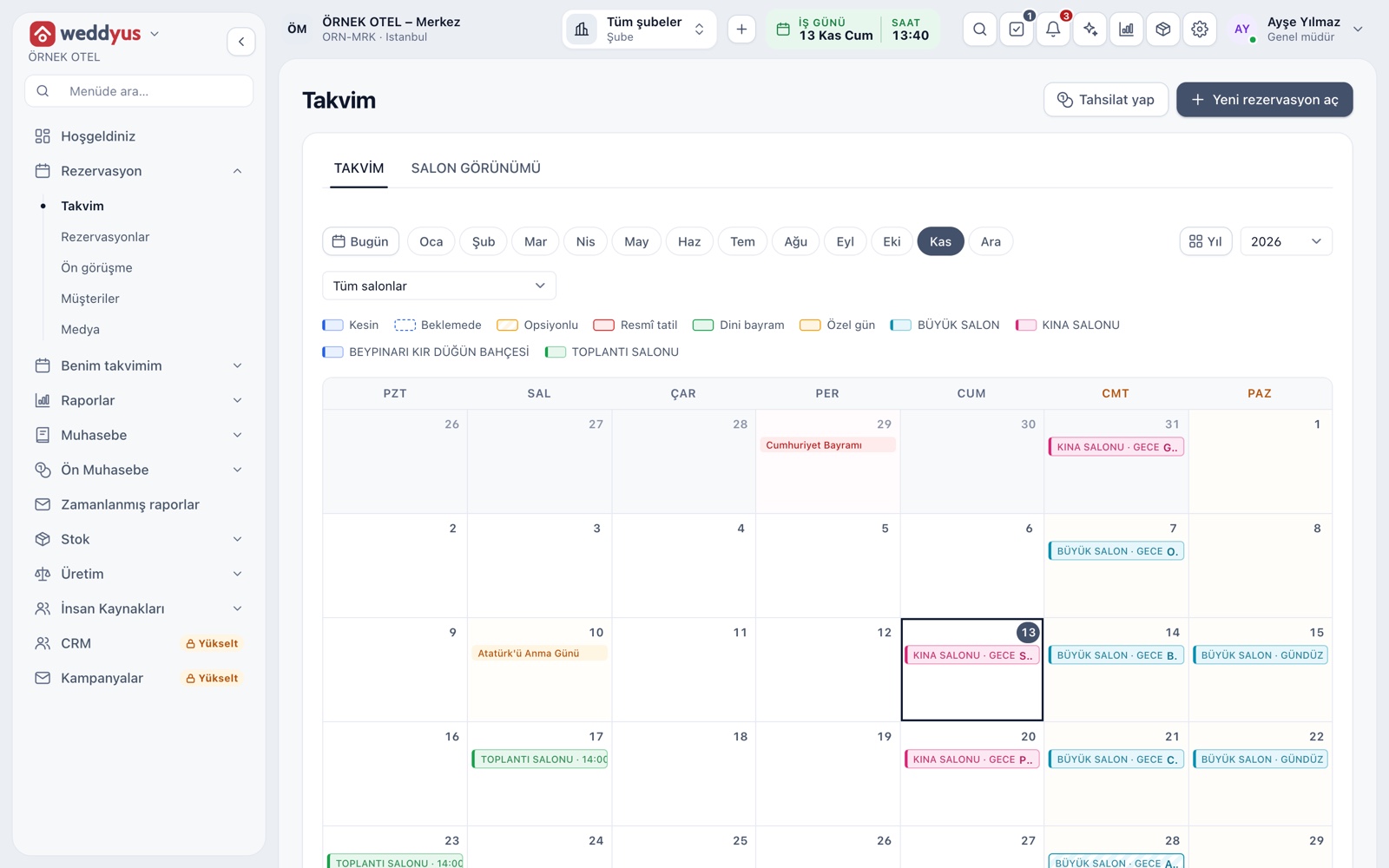
Monthly calendar
The calendar opens month by month; each day is a cell holding bars labeled with venue and session. A venue filter narrows it to one venue. Public holidays, religious holidays and special days are marked in the cell, so you spot busy dates early.
- Click an empty day to open a new booking form
- Click a busy day to open a summary of the day's jobs
- Bar style shows status: solid is confirmed, dashed is on hold, hatched is optioned
- The Collect button takes a payment without leaving the screen
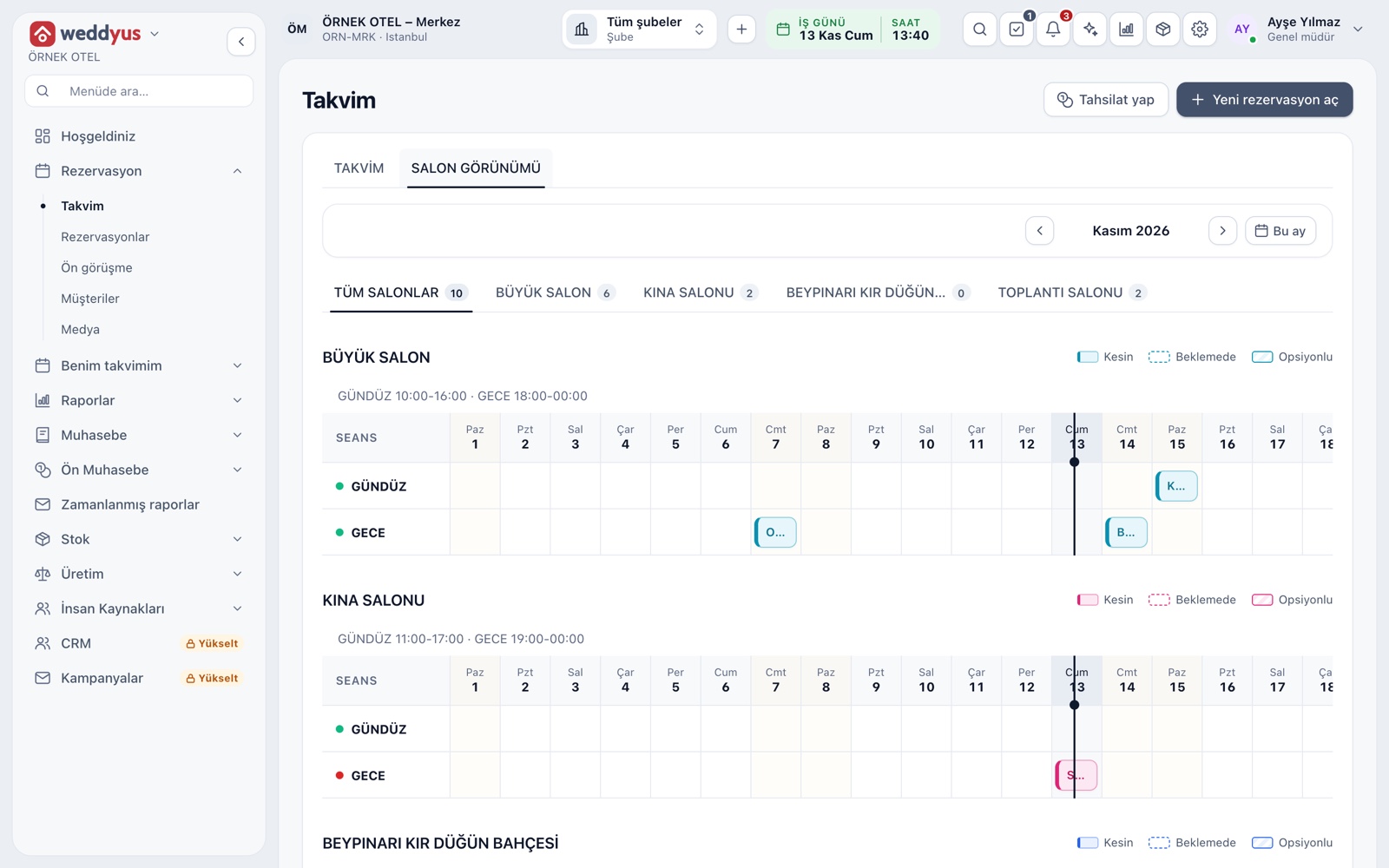
Venue view
The Venue view beside the calendar shows the same data as a horizontal strip of venue and session rows. Under each venue are its own sessions, such as day and evening, and the days of the month run across. You read which venue is free on which night at a glance.
- Tabs show each venue's name and its job count for the month
- Session times appear under the venue title
- Month arrows and the This month button move between periods
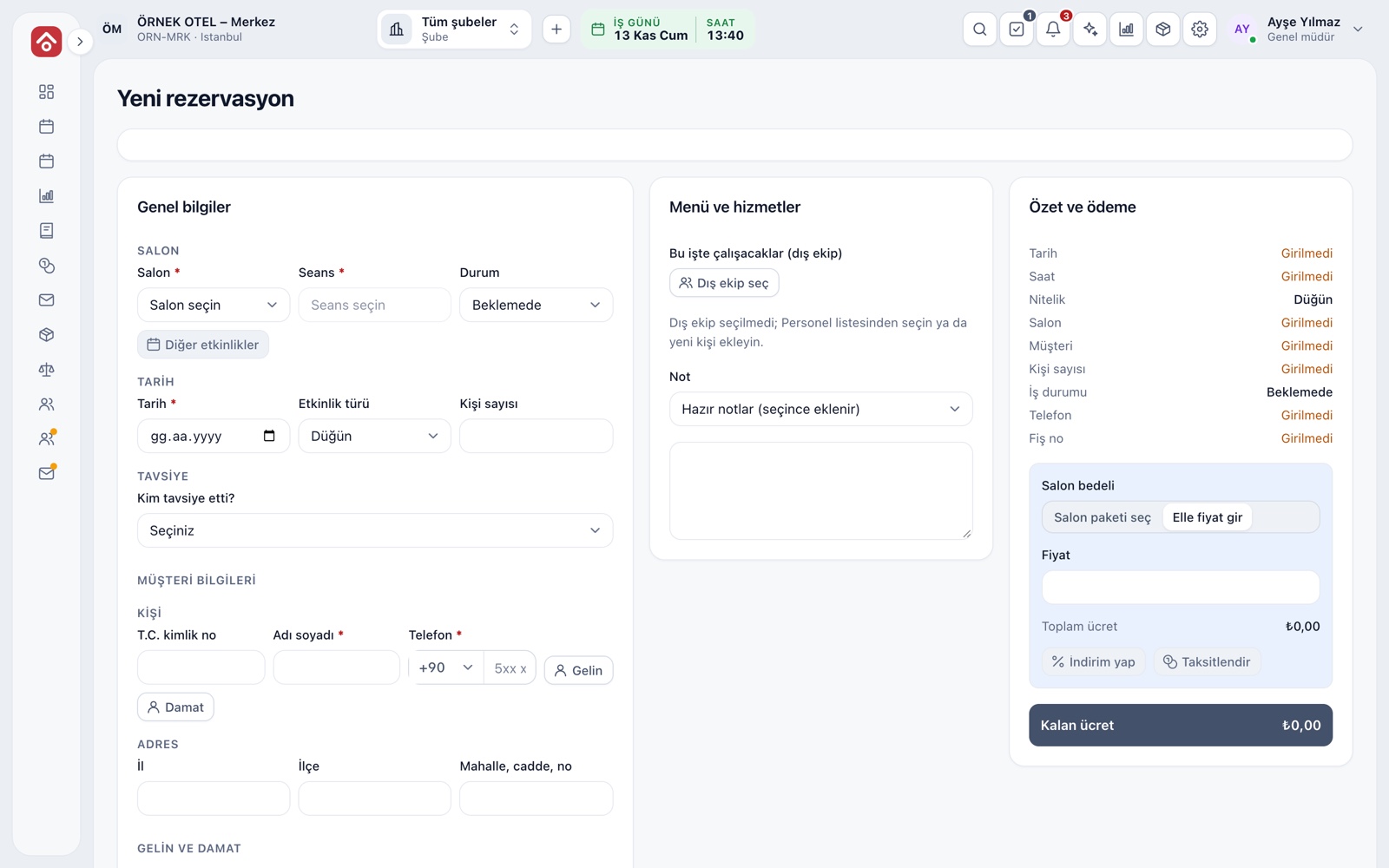
New booking form
The form opens as a three-column board: general details, menu and services, summary and payment. Venue, session, date, type, guest count and customer are on the left, crew and notes in the middle, and the live total and remaining fee on the right. You choose the status: On hold, Quote, Optioned or Confirmed.
- Bride and groom names are required only for weddings and engagements
- After saving, the customer joins the Customers list
- Ready-made notes are added with one click
Option period and automatic lapse
An optioned booking holds the venue while giving the customer time to decide. The option date defaults to today plus the number of days set in settings. When time runs out, the record becomes Lapsed on its own and the venue is freed; you can option it again or confirm it if the venue is still free.
- The panel on the form shows the end date and days left
- An SMS before the option ends can be set up
- For a date you want to hold without limit, use the On hold status
Conflict warning
Two jobs cannot be saved for the same venue, session and date. The check also counts the venue's setup and teardown buffers. Confirmed, optioned and on-hold bookings cannot conflict with each other. A quote holds nothing: you can write one on a taken date and the screen warns you.
- A session running past midnight spills into the next day
- The warning says which status of booking holds the venue
- Two users cannot take the same venue at once
Sessions or hourly slots
Rental type is chosen per venue. A session venue splits the day into fixed sessions such as day and evening; an hourly venue takes a start and end time on the booking. For hourly venues you define an hourly rate and a cleaning buffer between jobs.
- Sessions suit weddings and henna nights, hourly slots suit meeting rooms
- The suggested fee is duration times hourly rate and can be changed
- See Venues and Spaces for detail
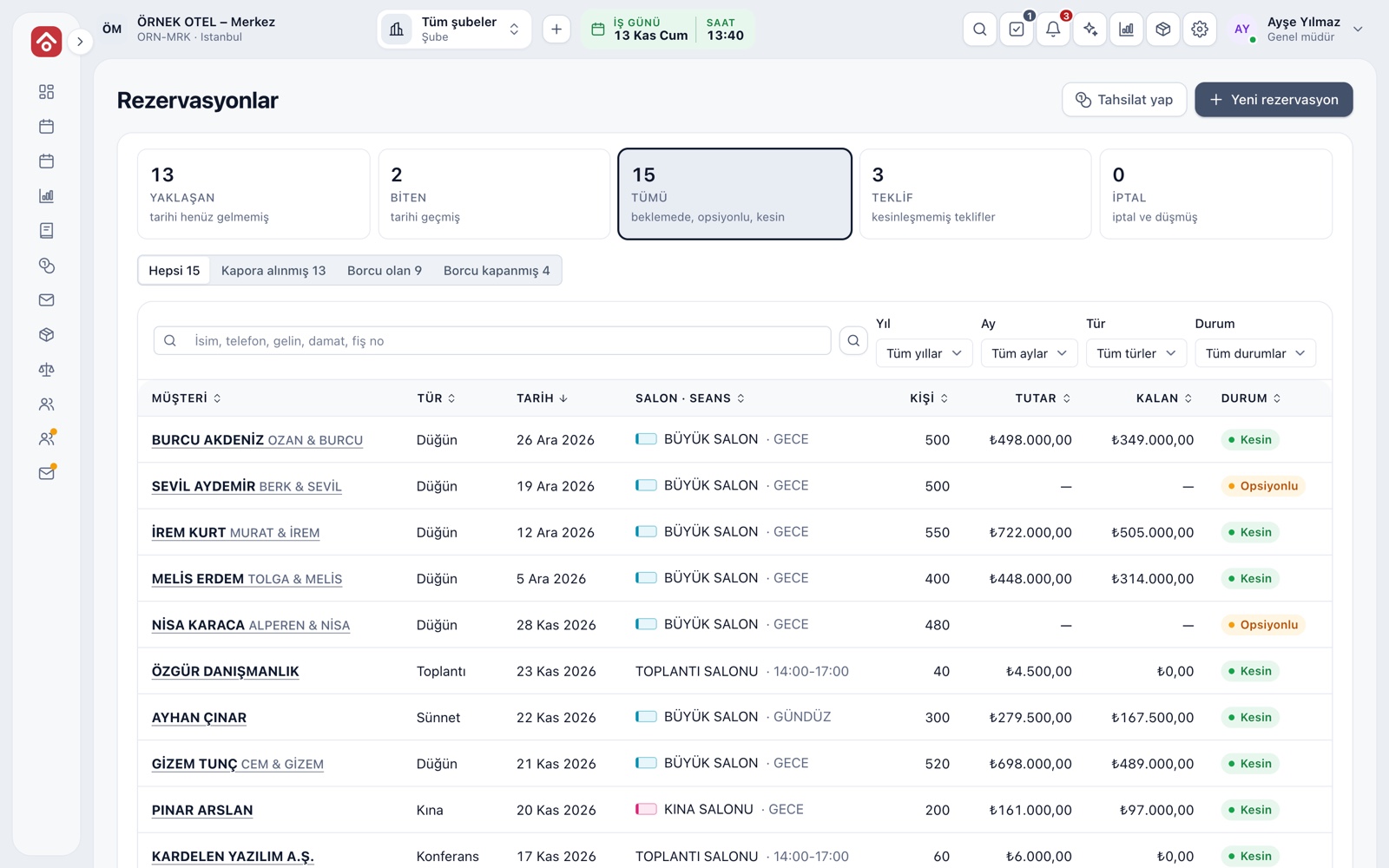
Booking list and permissions
The table form of the calendar is the Bookings screen. Cards split jobs into coming up, past, quote and cancelled, and payment chips show deposit received, balance due and settled. Search by name, phone, bride, groom or receipt number. No booking is deleted; it is cancelled with a reason.
- Every record gets a receipt number, so a caller's booking is found at once
- View, create, update and cancel are separate permissions
- Important actions are logged with user and time
Modules used together
Event Management
Lead, option, confirmed, completed and cancelled statuses
Learn moreVenues and Spaces
Capacity, layout types, combinable spaces, pricing
Learn moreMulti-venue Management
Multiple venues and branches in one account
Learn moreDeposits and Installment Collection
Payment plan, collection, receipt and reminders
Learn moreSMS and Notifications
Automatic customer messages for bookings and payments
Learn moreFrequently Asked Questions
Can I take two bookings on the same day?
Yes, if the venue's sessions differ; for example a circumcision party by day and a wedding at night on the same Saturday. A booking that conflicts with the same session is not accepted.
What happens when an option runs out?
The record becomes Lapsed on its own and the venue is freed. It is not deleted; you can option it again or confirm it if the venue is still free.
Does a quote hold a date on the calendar?
No. A quote does not hold the venue; it can be written on a taken date and the screen warns you. To hold a date you need On hold, Optioned or Confirmed.
Is the customer notified?
An SMS can go out when a booking is confirmed, a payment is received, a payment is late and before an option ends. You need to set up your SMS provider for this.
Can I use weddyus without a hotel?
Yes. Venue management works on its own; with hotel and restaurant management, shared modules work on the same records.
Meet Venue Calendar and Booking
Let us call you for a live walkthrough, or try it free for 1 month.