
Wedding Tracker
Each event's customer, menu, contract, payments, crew and notes live in a single file. Sales, the venue manager, the cashier and the floor crew look at the same record, and everyone sees only the parts they are permitted to.
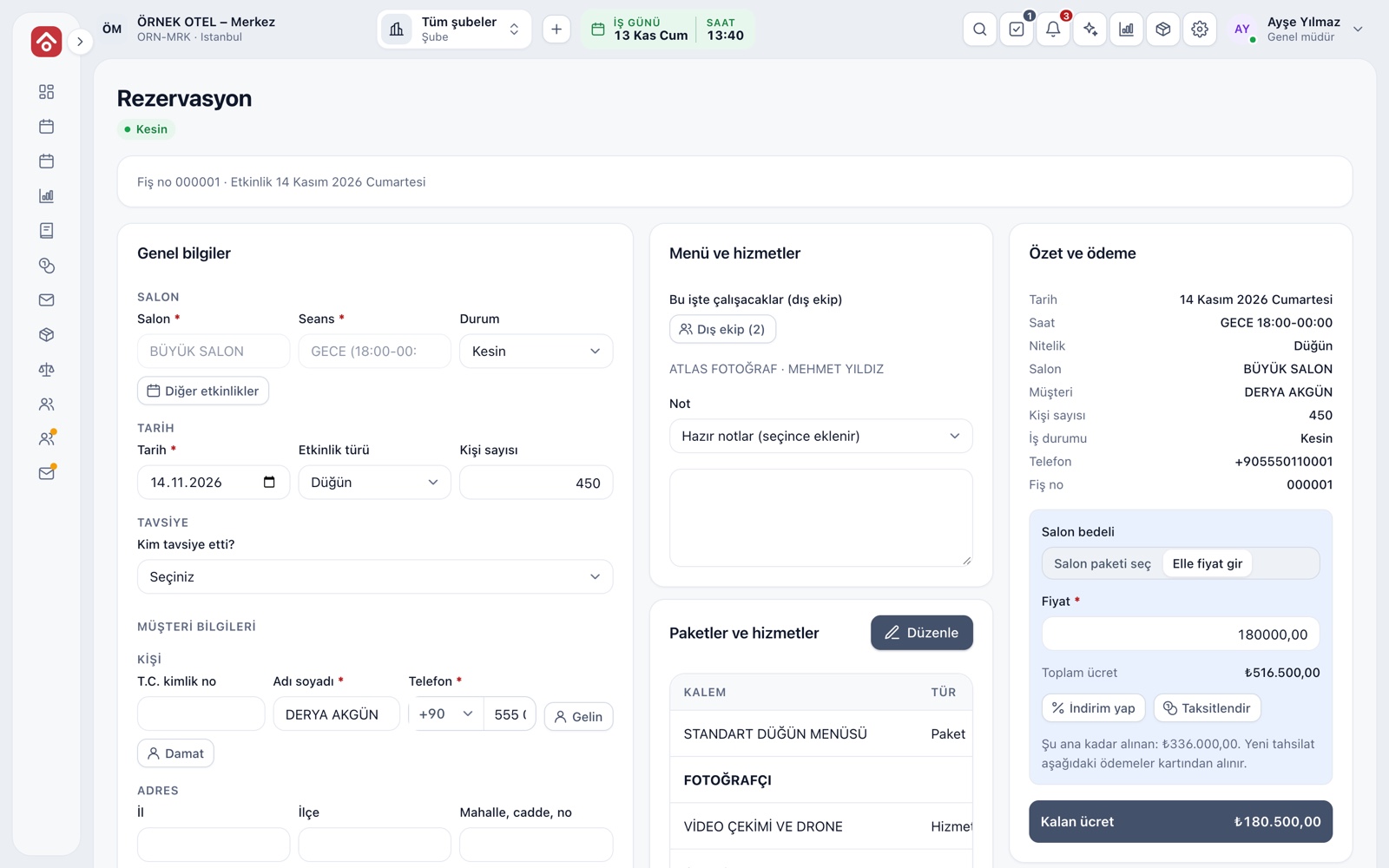
One event, one file
The booking screen is a three-column file. On the left are venue, session, date, type, customer and bride and groom; in the middle menu, services, crew and notes; on the right total fee, received and remaining amounts. The header shows the receipt number, event day and a status badge.
- The remaining fee recalculates instantly with every change
- Bride, groom and customer details fill the contract template automatically
- Leaving without saving triggers a warning, so nothing you typed is lost
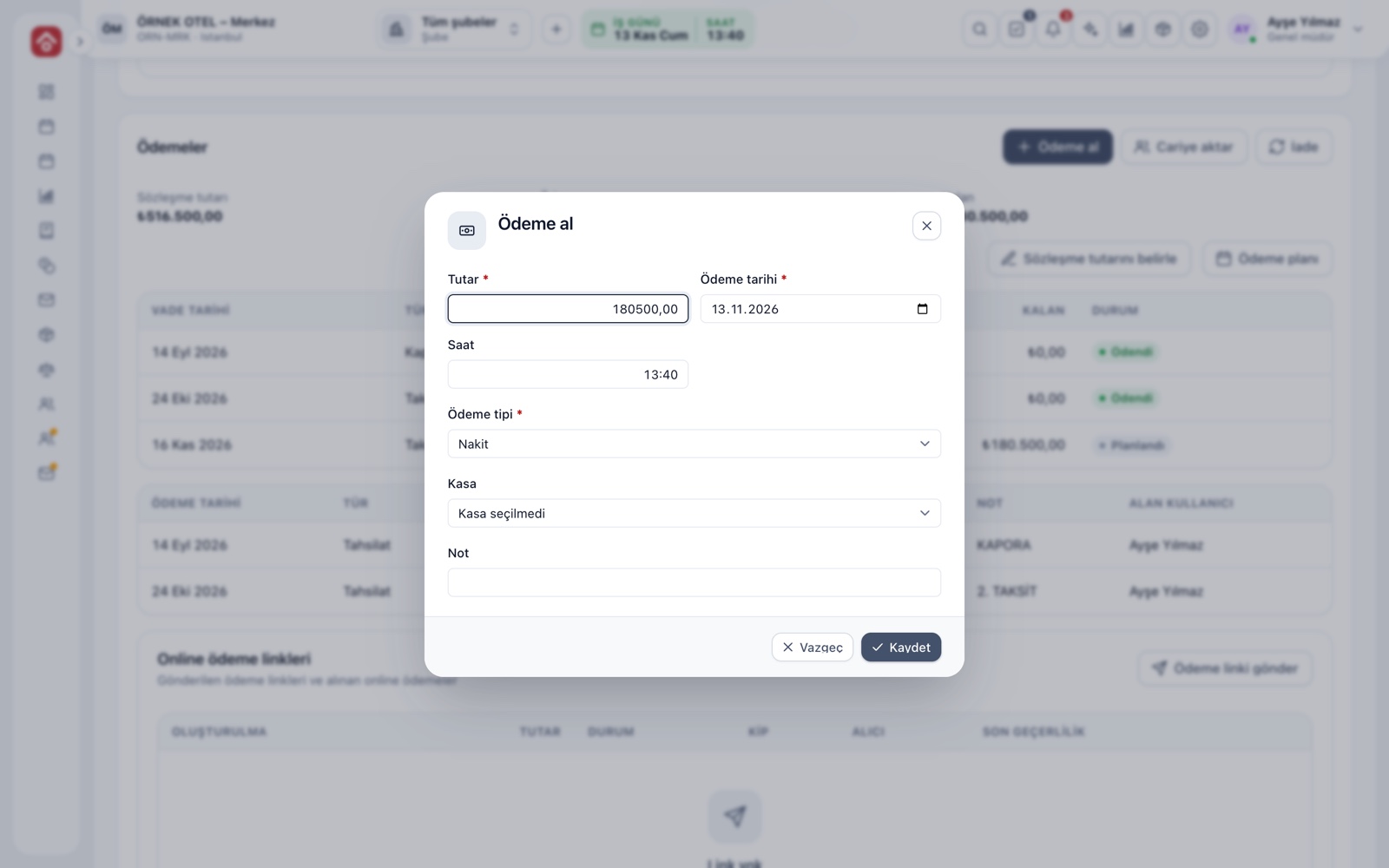
Discount and payment plan
The discount window takes an amount or percentage and asks for a reason: negotiation, campaign, early payment, season and so on. The payment plan sets deposit and installments with due dates, and the installment wizard builds an equal plan quickly. The plan total cannot exceed the contract amount.
- Every discount is stored with its date
- A fixed day of the month can be chosen for installments
- Collections are applied in due-date order
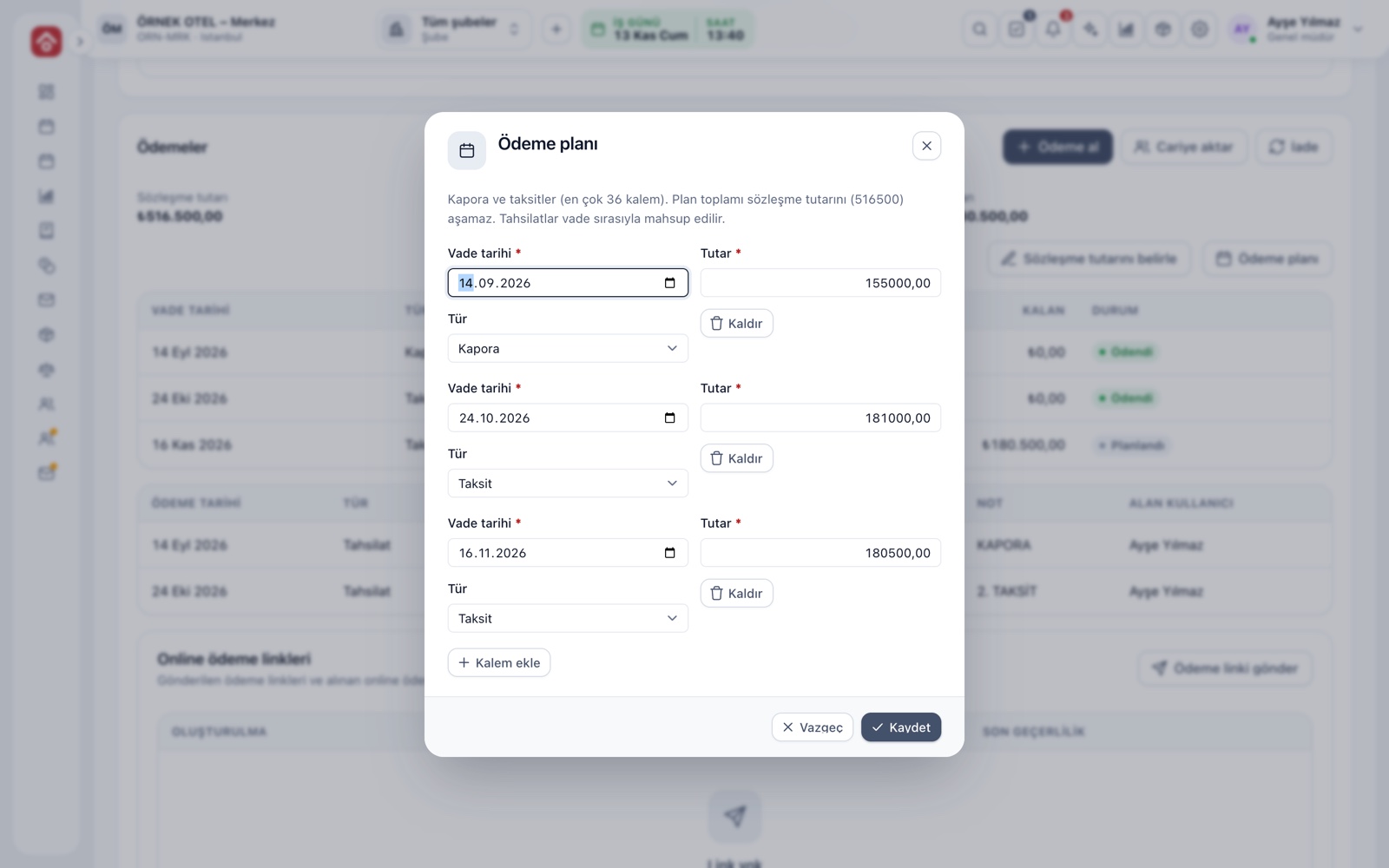
Contract and signed copy
A Contract card opens on optioned and confirmed jobs. Choose a template and press Create contract; the document becomes a PDF with the booking's data at that moment. A scan of the printed, signed copy is uploaded to the same row. Templates and the cancellation table are covered in Quotes and Contracts.
- Each new document is a new version; the old one is kept
- The row shows version, creation time and signature status
- Later changes never alter an earlier document
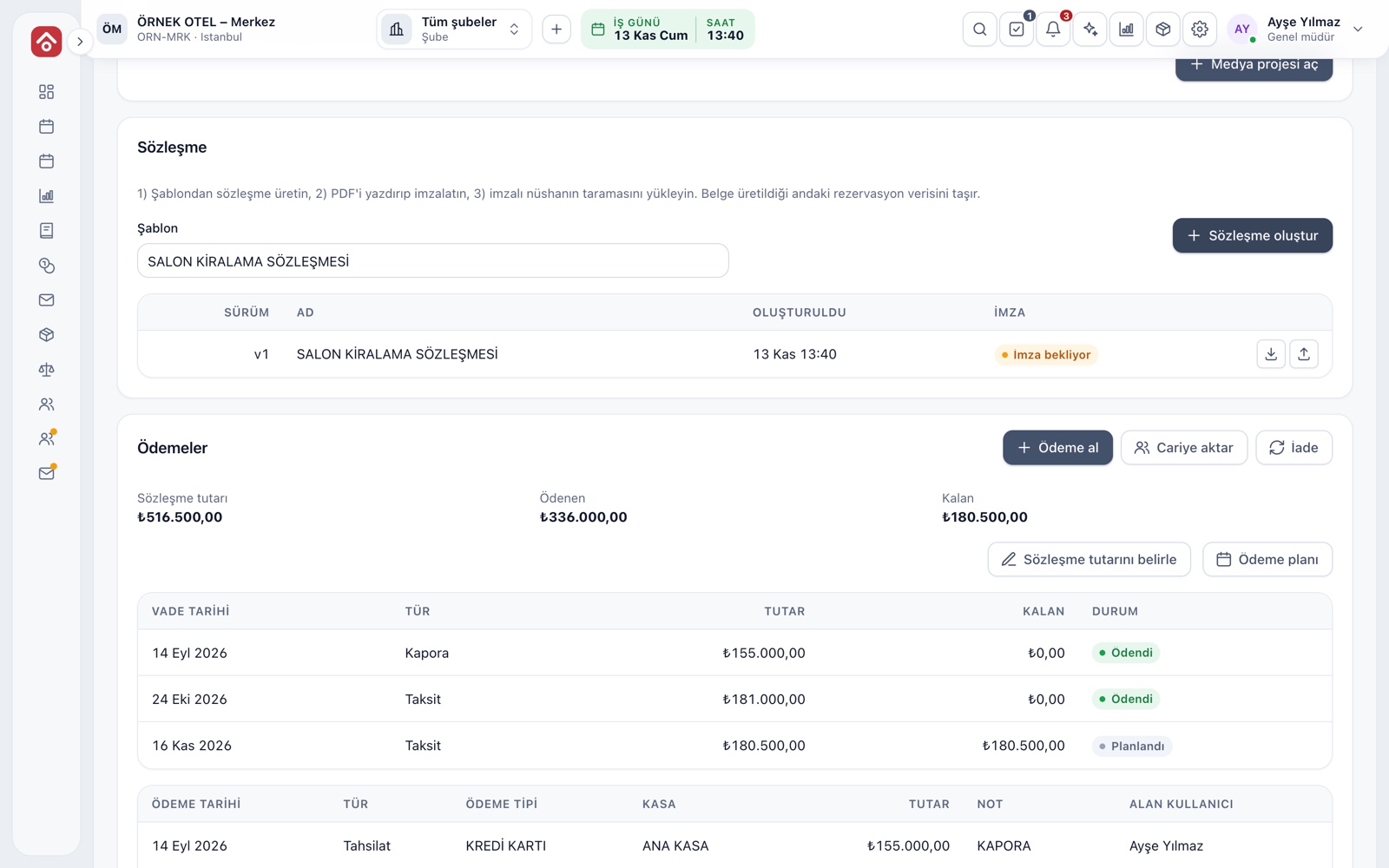
Taking payments, refunds and account transfer
The Take payment window asks for amount, date, payment type and register. Received payments cannot be edited; a refund entry corrects them. An amount that cannot be collected is moved to an account as a debit. For the full process see Deposits and Installment Collection.
- A receipt prints with Save and print
- A refund cannot exceed what was paid
- Payments are taken only on confirmed bookings
Crew and My Calendar
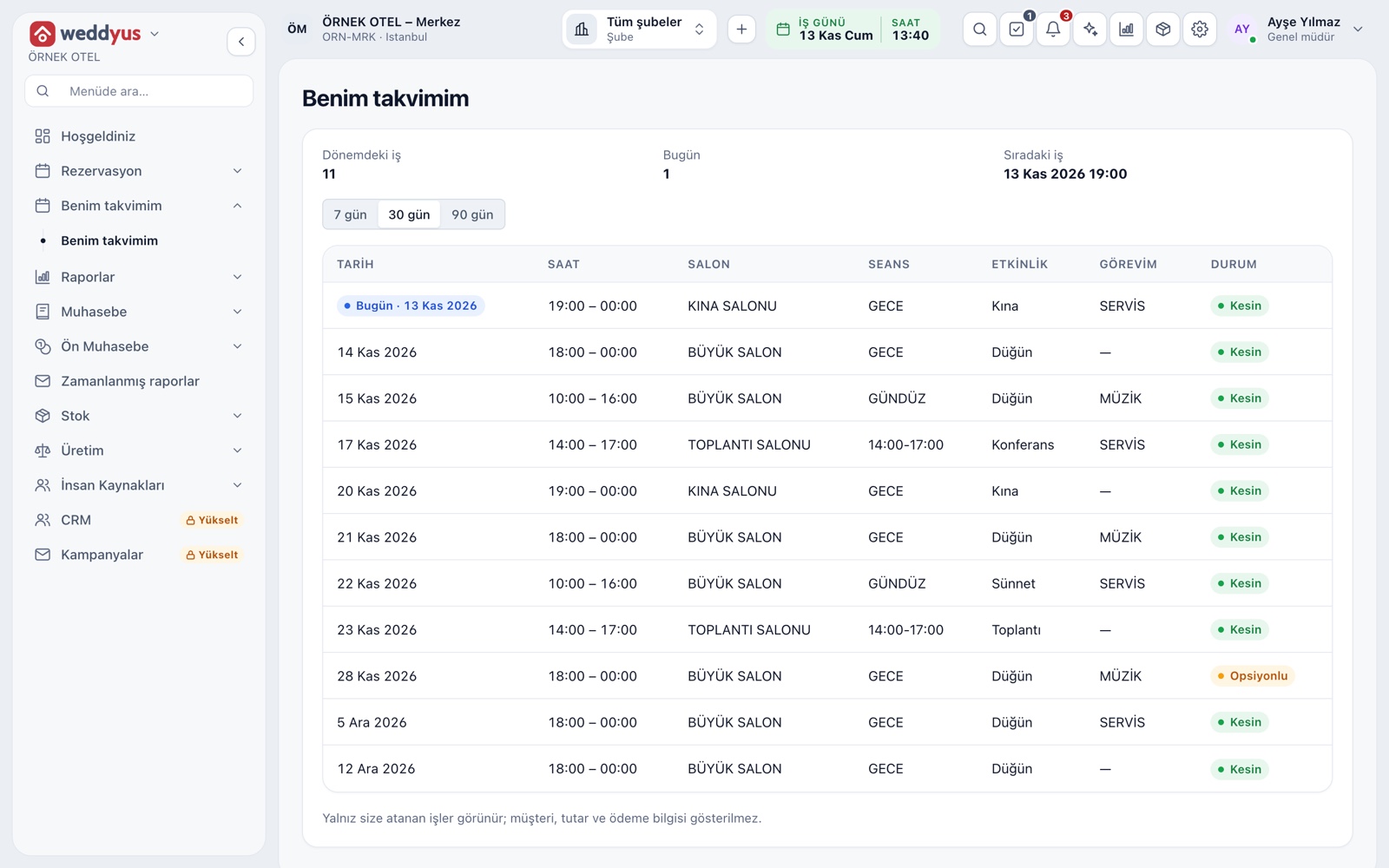
The people working an event are picked from the staff list with their roles. An assigned person sees the My Calendar screen in the menu: jobs in the coming days, time, venue and role. Customer, amount and payment details do not appear there. A reminder arrives the day before and as the time approaches.
- Roles: photographer, musician, DJ, serving team, valet, decoration
- Someone not on the list can be added without an account
- Crew names fill the crew field in the contract
SMS, invitation and media gallery
Three extra cards open on a confirmed booking. Customer notification manages the SMS log and the info link given to the customer. The digital invitation collects attendance replies. A media project gathers the photos and videos the photographer uploads into the customer's gallery.
- SMS needs your own SMS provider to be set up
- The info link shows address, parking and program flow
- Links are time-limited and can be cancelled
- The photographer sees only their own media project
Modules used together
Event Management
Lead, option, confirmed, completed and cancelled statuses
Learn moreQuotes and Contracts
Same-day quote, PDF from template, digital approval
Learn moreDeposits and Installment Collection
Payment plan, collection, receipt and reminders
Learn moreEvent Operations
Staff, equipment and task lists
Learn moreSMS and Notifications
Automatic customer messages for bookings and payments
Learn moreFrequently Asked Questions
Is Wedding Tracker a separate module?
No. It is the booking screen itself: everything about an event is gathered on that screen and the cards below it.
What does the customer receive?
Depending on your settings, an SMS goes out when a booking is confirmed, a payment is received, a payment is late and before an option expires. The customer can also get an info, invitation and gallery link.
What if a payment was entered wrongly?
Payment records cannot be edited. A refund entry fixes the error, then a new payment is taken with the right amount; both movements leave a trace.
How is the signed contract stored?
The contract is generated as a PDF, printed and signed, and a scan of the signed copy is uploaded to the booking file.
Can the photographer see amounts on a booking?
No. The photographer cannot see the booking file; they reach only their media project and the My Calendar screen.
Meet Wedding Tracker
Let us call you for a live walkthrough, or try it free for 1 month.