
Receivables and Overdue Tracking
Which booking has what balance, which installment has slipped past its date, and who should be called when? The answer is ready with three lists on the home screen, an overdue report and automatic SMS.
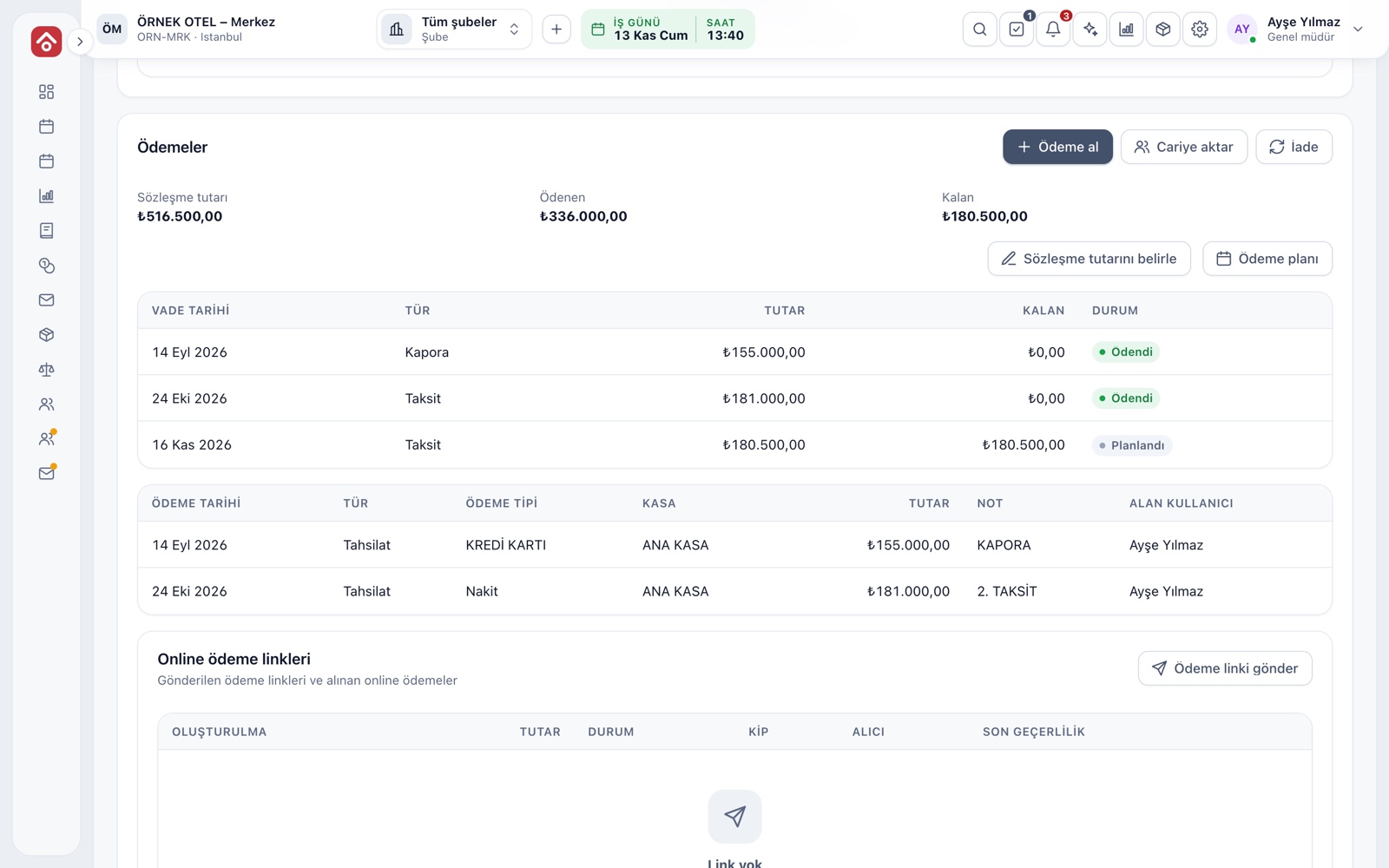
Payment plan and overdue calculation
Overdue status comes from the payment plan on the booking. Each line has a due date, an amount and a remainder, and collections are applied from the oldest due date first. If a customer with two late installments pays part, the oldest shrinks first, with no manual correction.
- Each line carries a status badge: paid, partly paid, overdue
- If the plan changes, overdue is recalculated
- Screens and reports show the same figure
Three lists on the home screen
The Payments card under the calendar has three tabs, each titled with its total. Click a row and the booking opens, so you go straight to collection without searching. The card is visible only to users with payment-view permission.
- Overdue: lines past due and still open
- Expected: lines with a later due date
- Unpaid: confirmed bookings with no payment at all
- Venue color shows which venue a receivable belongs to
Balance in the booking list
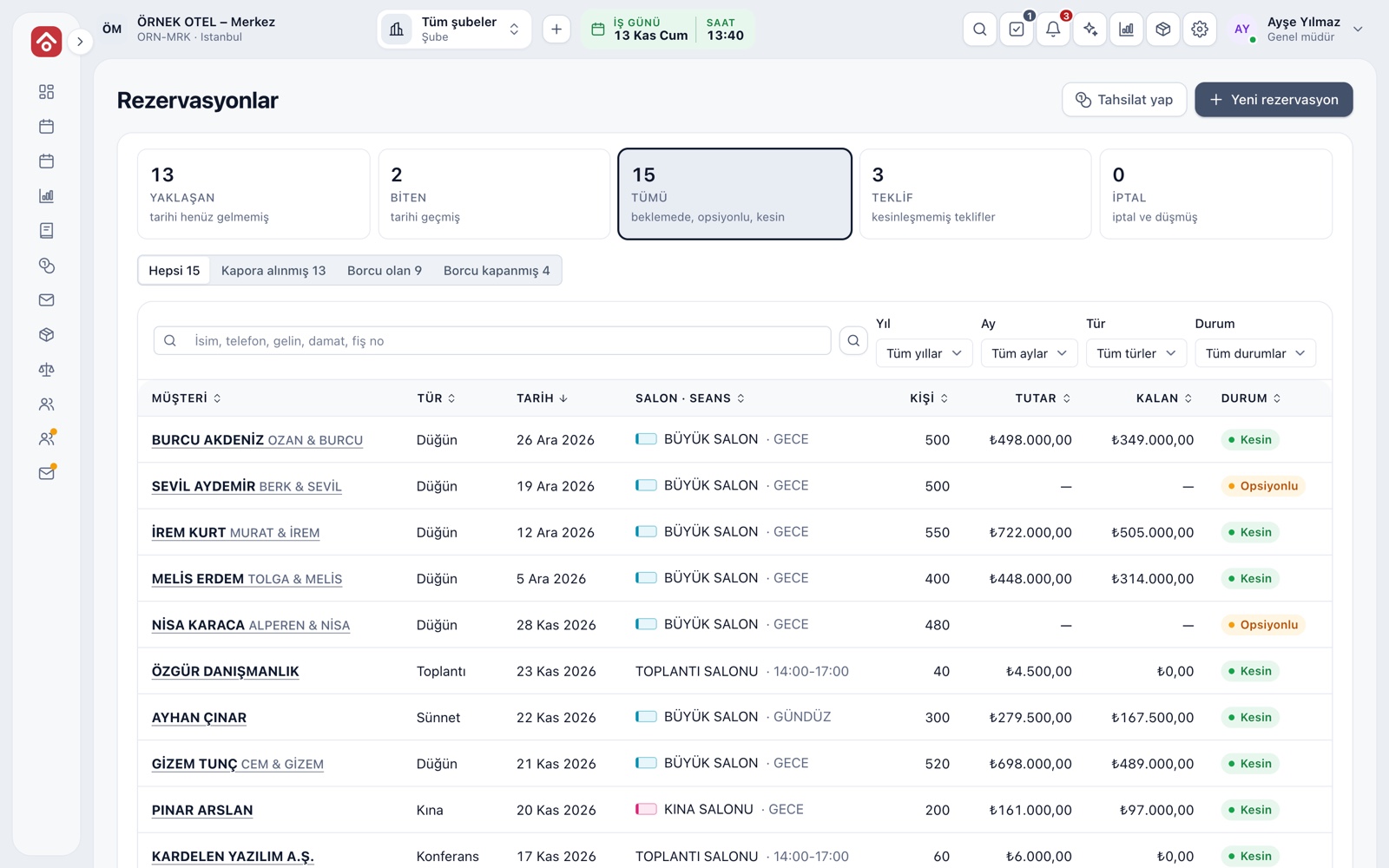
The booking list shows Amount and Remaining side by side. Chips on top narrow the list: Deposit received, With balance due, Settled. A sales rep on the phone types the customer's name and sees the balance and event date within seconds.
- Chips come with job counts
- Search works on name, phone, bride and groom
- Sort by date, amount or remainder
Automatic SMS when a payment is late
When a line passes its due date, the customer receives one SMS, so nobody needs to keep reminder notes. The message carries the due date, the amount and your business name, and goes out during business hours after the time you choose, not at midnight.
- Switch the notice on or off in settings
- You write the message template
- No second SMS goes out for the same line
- Your own SMS provider must be set up
Collections and overdue report
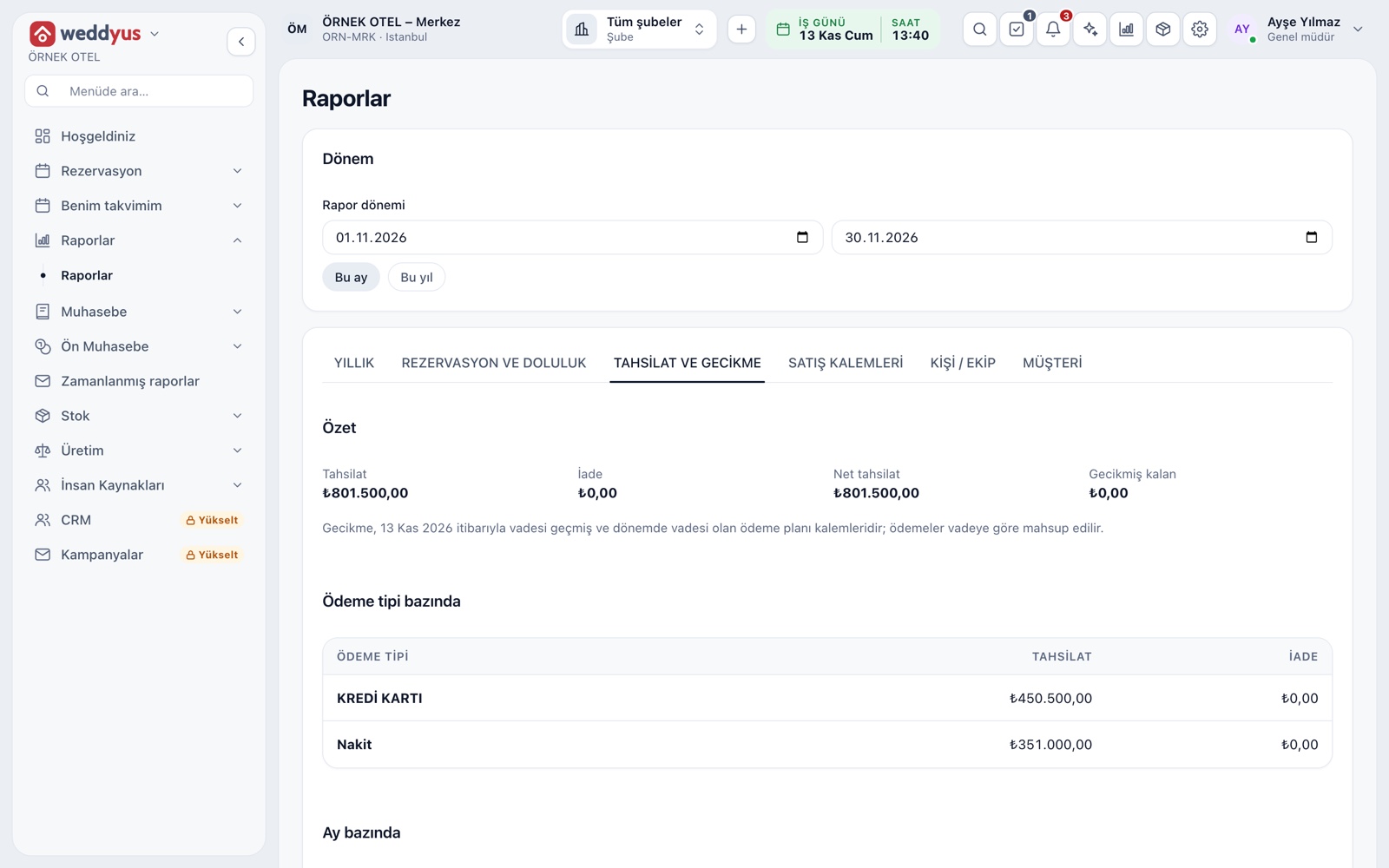
The report summarizes what was collected and refunded in the chosen period and how much is overdue today, broken down by payment type and month. Overdue lines are grouped into 1-30, 31-60, 61-90 and over 90 days.
- Cards: collected, refunded, net collected, overdue balance
- Cash, card and transfer appear as separate rows
- Click an overdue row to open the booking
Uncollectible receivables
Some receivables stay unpaid after the due date. The transfer-to-account action takes such an amount off the booking's remainder and records it as a debit on the chosen account. The event file closes, and the receivable stays tracked on the account card.
- The amount cannot exceed the remaining balance; a note is recorded
- Transferred amounts are listed separately on the booking
- Nothing is deleted; the transfer shows as its own line
Who sees what, and exports
Receivable screens are not open to everyone. Without payment-view permission the payment card is hidden, and outside crew such as photographers never see balances, amounts or customer phones. Reports export to Excel, CSV and PDF or can be printed.
- View, collect, refund and plan permissions are separate
- An exported file matches the filter on screen
- Collections and refunds are logged with the user
Modules used together
Deposits and Installment Collection
Payment plan, collection, receipt and reminders
Learn moreVenue Reports
Occupancy, revenue, deposit aging, conversion rate and cancellation reasons
Learn moreSMS and Notifications
Automatic customer messages for bookings and payments
Learn moreIncome and Expense Records
Record venue income and expenses
Learn moreEvent Management
Lead, option, confirmed, completed and cancelled statuses
Learn moreFrequently Asked Questions
How is overdue calculated?
From the due date of each payment plan line. Collections are applied oldest first; the uncovered part of a line becomes overdue once its date passes.
Does every customer get the overdue SMS?
No. Only if the notice is switched on, the phone number is valid and a line recently passed its due date; once per line.
Who can see payment details?
Roles with payment-view permission. The outside crew role sees only its own calendar; customer, amount and payment details are never sent to it.
How do I close an uncollectible receivable?
Use Transfer to account on the booking to move the amount as a debit to the account you choose. No record is deleted.
Can I export the reports?
Yes. Every report downloads as Excel, CSV or PDF and can be printed.
Meet Receivables and Overdue Tracking
Let us call you for a live walkthrough, or try it free for 1 month.