
Multi-venue Management
A main hall, a henna hall, a garden and a meeting room live in one account. Each venue has its own sessions, color and prices; the calendar shows them all at a glance or one by one, and conflicts are checked only within the same venue.
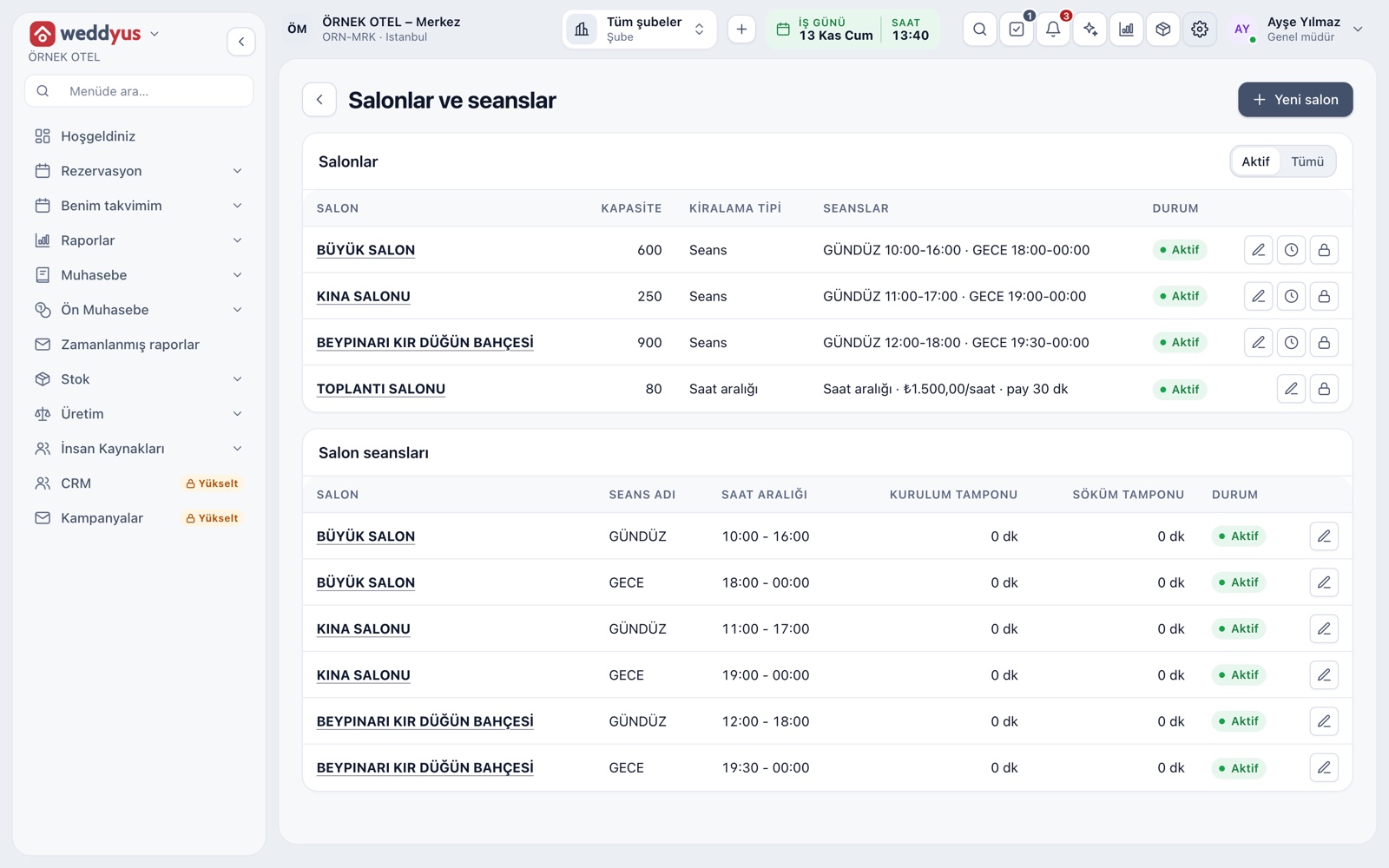
Several venues in one account
A business can define as many venues as it wants; each has its own name, capacity, sessions or hourly rules, price packages and calendar color. Moving between venues is not a change of login; only the venue filter on the calendar and lists changes.
- The number of active venues follows your plan's venue allowance
- An inactive venue uses no allowance; venues are deactivated, not deleted
- If you also run a hotel or restaurant, accounting, stock and staff are shared
All venues on one calendar
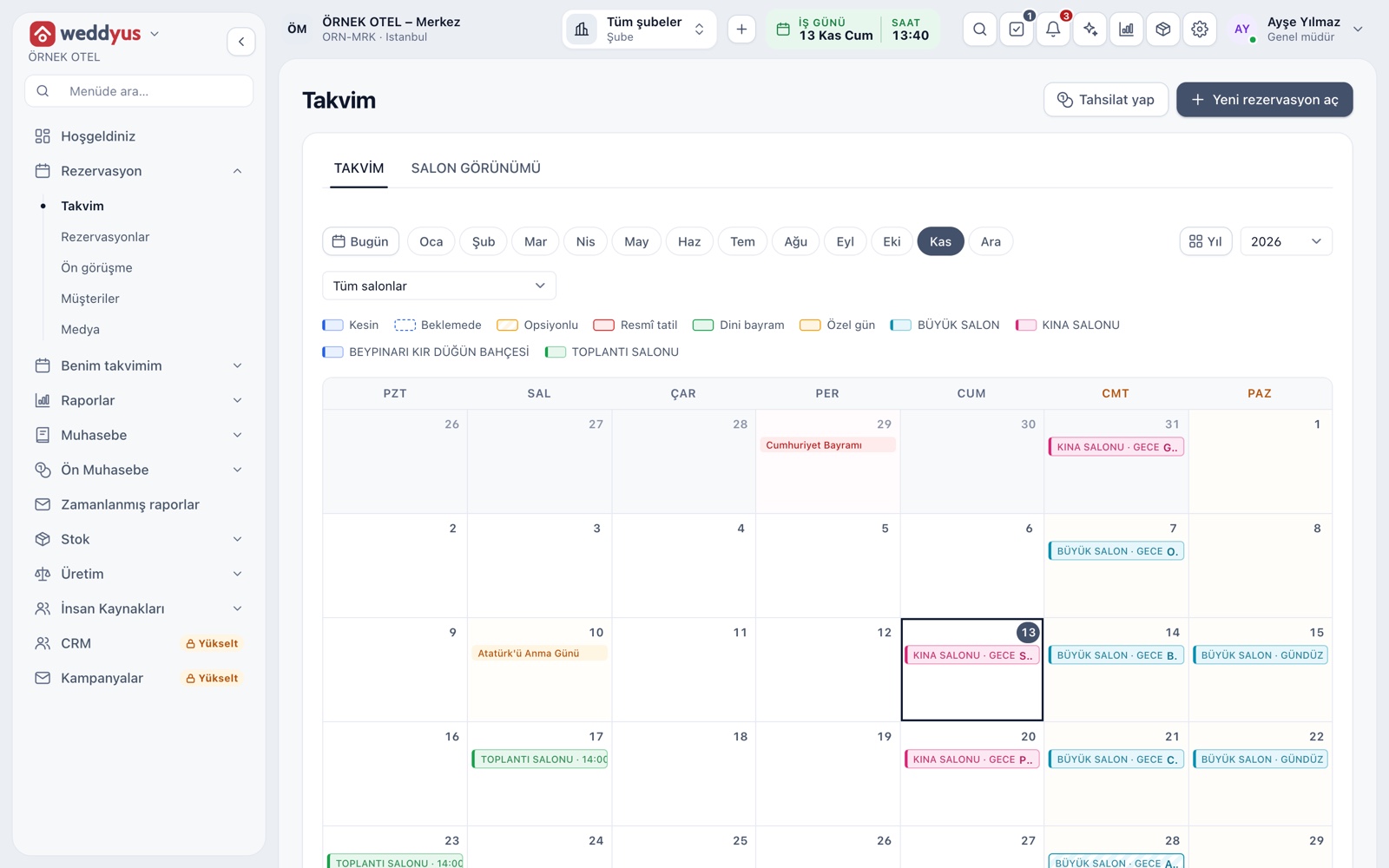
The calendar opens as a monthly grid showing all venues by default, each drawn in its own color. The venue selector switches to a single venue, and the Year button shows all twelve months on one screen.
- Bar style shows status: solid is confirmed, dashed is on hold, hatched is optioned
- Click an empty day to open a new booking for that date
- Public holidays and special days are marked in the cell
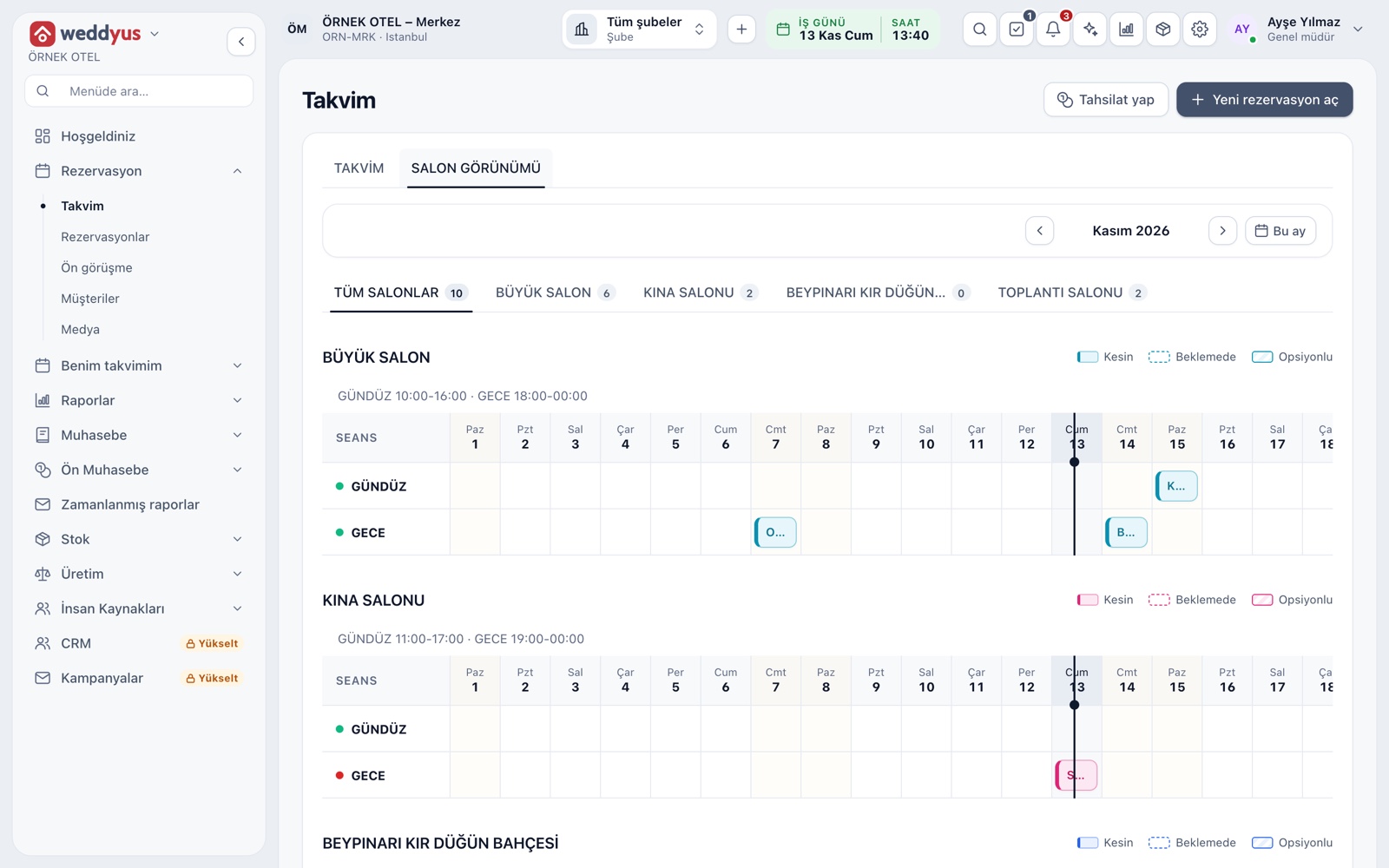
Venue view: venue and session
The second tab shows each venue on its own card with its own session rows. Columns are days, so which session of which venue is taken on which days reads at a glance. The number on a tab is that venue's job count for the month.
- Each card shows that venue's session times and color
- Hourly venues draw bars with start and end times
- Click a bar to open the booking
Conflicts are checked within a venue only
Two events on the same day in two different venues are fine; a conflict is looked for only in the same session or the same time range of the same venue. Confirmed, optioned and on-hold bookings hold the venue, while a quote only raises a warning.
- Setup and teardown buffers count toward conflicts
- If two users try to book the same venue at once, only one succeeds
- On-hold keeps the venue without limit; an option lapses on its date
Venue-specific cash, catalog and warehouse
Some settings are shared by all venues, others belong to one. Cash registers, packages and service items are defined for all venues or for a single one. The warehouse that stocked items draw from is matched per venue.
- A venue-specific item can be picked only on that venue's bookings
- Cash registers can be split by venue; pick the register at collection
- Link a venue to a department and its income posts there
Reports by venue
The reports page carries the venue filter in every tab. The occupancy report shows taken days by venue and session; the yearly report gives each venue's job count and guest total. You can see in numbers when each venue sits empty and which one works hardest.
- The yearly report shows the most used venue
- Collection and crew reports also filter by venue
- For hourly venues, total hours rented are listed separately
Modules used together
Venues and Spaces
Capacity, layout types, combinable spaces, pricing
Learn moreVenue Calendar and Booking
Day/night calendar, option periods, conflict warnings
Learn moreVenue Reports
Occupancy, revenue, deposit aging, conversion rate and cancellation reasons
Learn moreIncome and Expense Records
Record venue income and expenses
Learn morePackages and Menu Planning
Wedding packages, menu, beverages, cake and decoration items
Learn moreFrequently Asked Questions
How many venues can I add?
The number of active venues follows your plan's venue allowance. An inactive venue uses no allowance, since venues are deactivated rather than deleted.
Can I rent two venues to different customers on the same day?
Yes. Conflicts are checked only within the same session or time range of the same venue. Events in different venues do not block each other.
Can each venue have its own cash register?
Yes. Registers are defined for all venues or for one; you pick the relevant register when collecting a payment.
How do I tell venues apart on the calendar?
Each venue is drawn in its own color. A venue without a chosen color gets a shade that does not clash with the others.
Meet Multi-venue Management
Let us call you for a live walkthrough, or try it free for 1 month.